As the sole designer, I prototyped a visual studio for building, editing, and testing
phone scripts in 8x8 Admin — so non-technical contact center admins could author logic
without fighting a legacy tree view and brittle expression syntax. The work stayed at
prototype when the partnering PM left and the effort paused.
Domain: Contact Center + CCaaS + IVR
Date: Oct 2025 – Feb 2026
Duration: 4 months
Role: Senior Product Designer
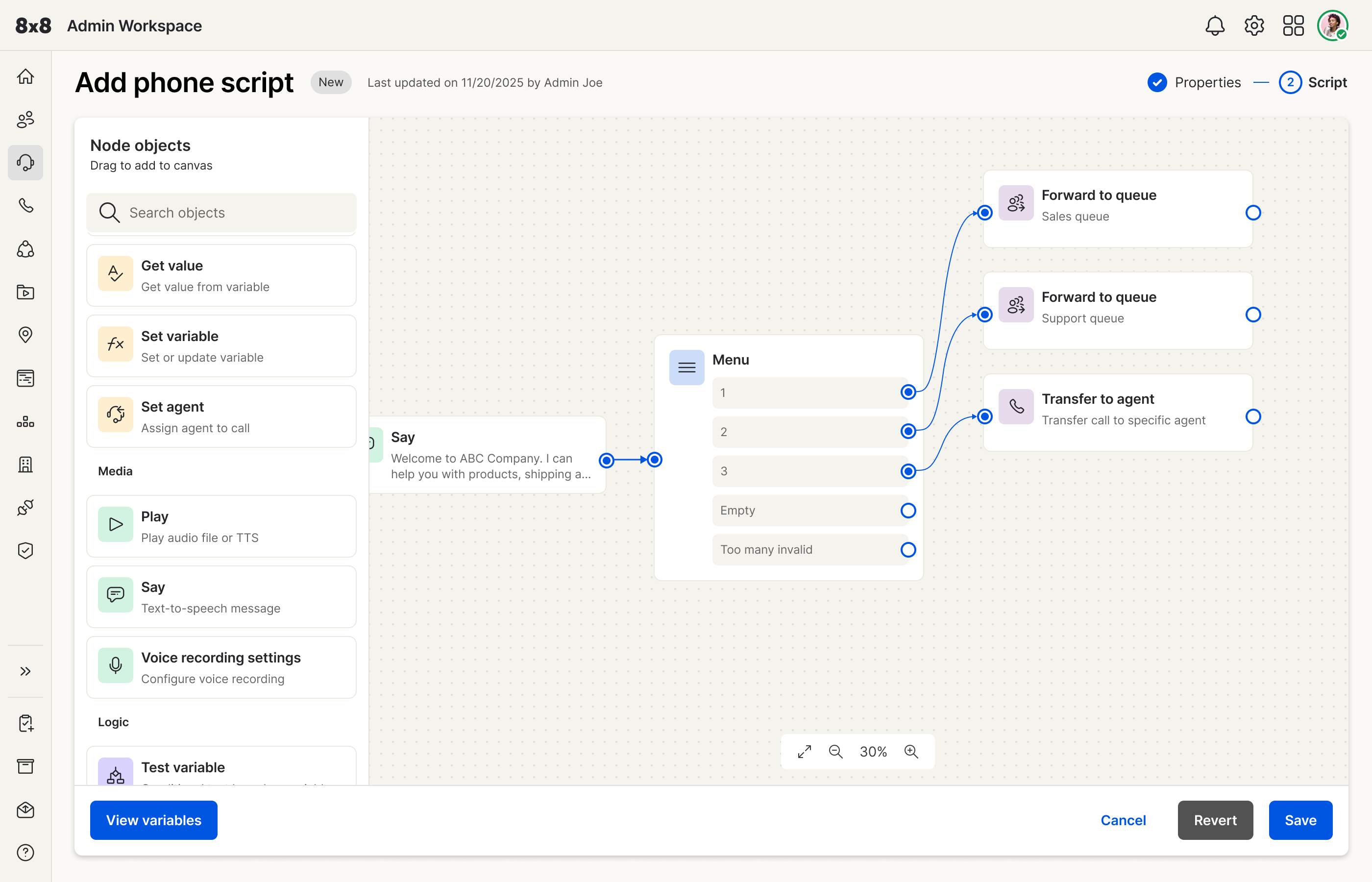
Canvas studio — menu node and branching paths on a spatial board.
Problem & Hypothesis
Users
Primary users are contact center administrators who build and maintain
phone / routing scripts (IVR-style logic) for how callers move through
menus, queues, and transfers. Many are strong operators but not developers — yet the
legacy tool treated them like expression editors.
What broke
The existing builder was a tree-view script editor paired with an
unforgiving expression syntax. Marketing promos and policy changes meant hunting through
many scripts by hand; one missed edit left agents giving outdated information. There was
no clear visual map of the caller journey and no solid way to preview behavior before
going live.
Signals
Pain came from 8x8’s research repository — past customer and user studies
searchable by designers and PMs. Quotes and themes there matched what we already heard
from CC admins: bottleneck on business agility, syntax fear, and zero confidence before
publish. I also ran a competitive scan of how other products let admins
author routing logic.
Hypothesis
If script logic is authored on a canvas with reusable nodes and a
preview / test path, non-technical CC admins can create and update flows
with less syntax risk and less duplicate editing than in the tree + expression editor.
This case study evaluates that bet at the design-prototype layer. There
was no formal usability study before the project paused, and no production metrics are
claimed.
“When the business needs to be agile and respond to a competitor or launch a promotion, I
become the bottleneck. My ability to serve the business is limited not by my skills, but
by the frustrating and inefficient tools I’m forced to use.”
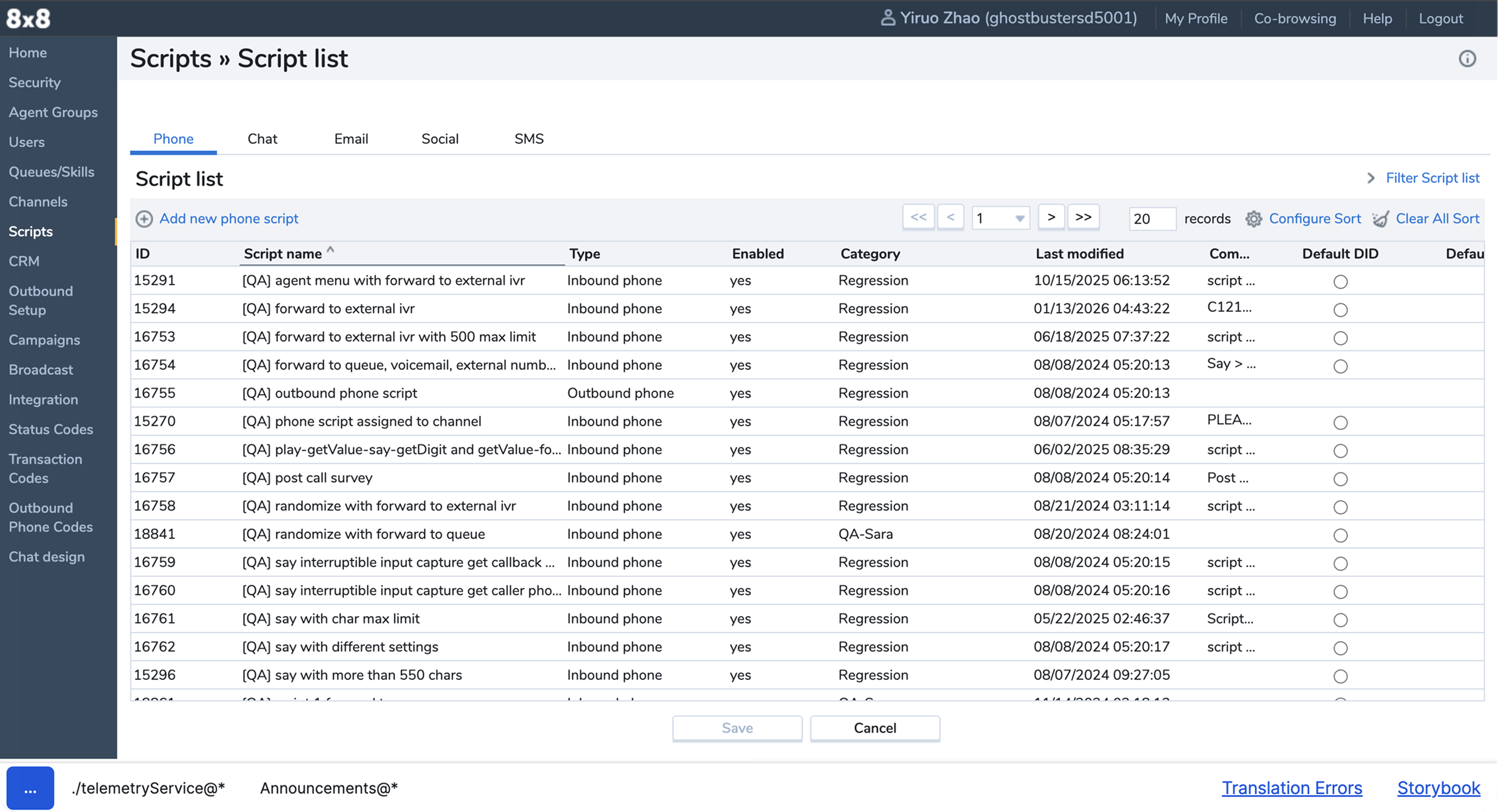
Before: Scripts list in the legacy Contact Center admin experience.
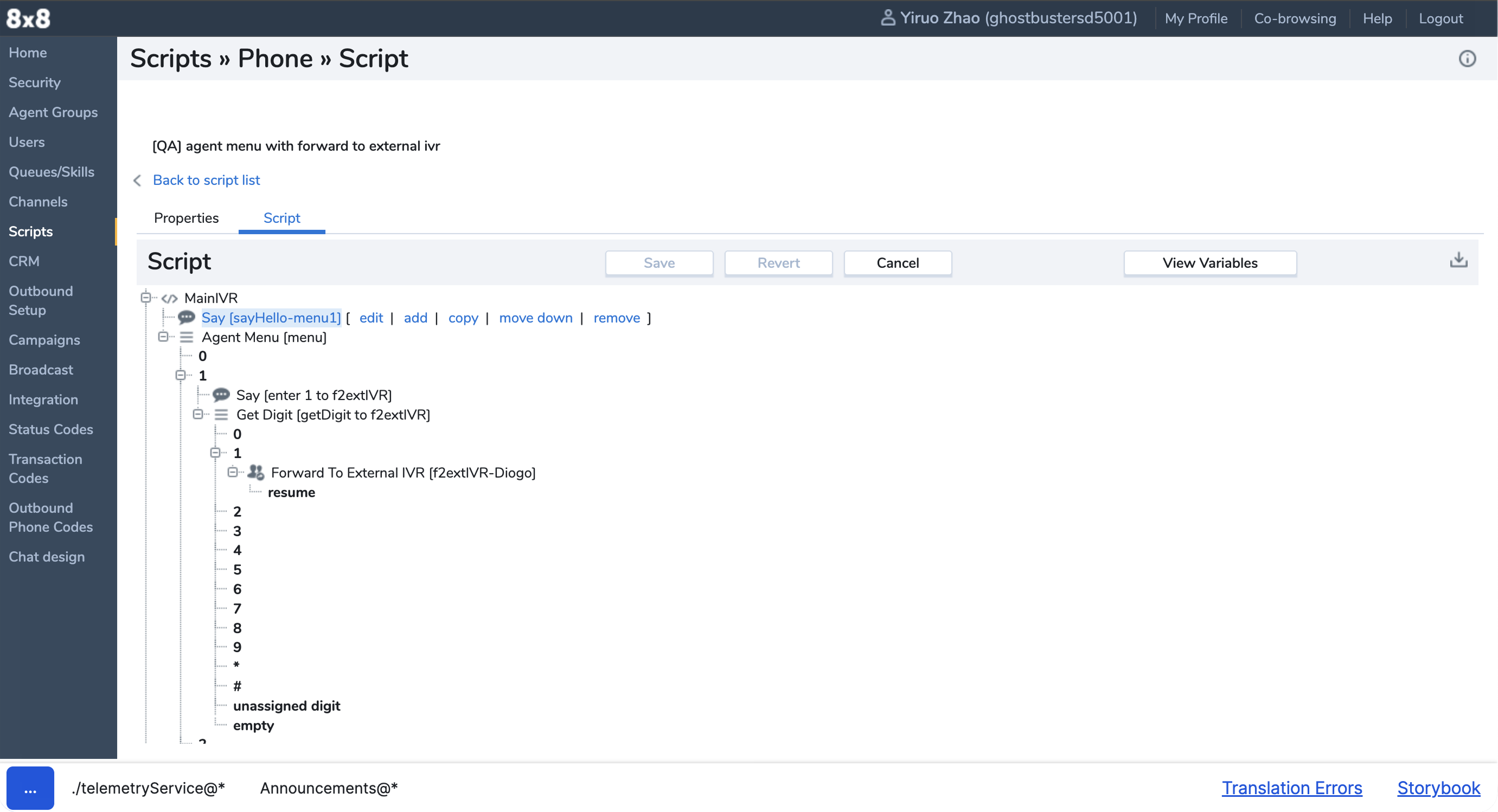
Before: Tree-view script builder — hierarchy without a spatial journey map.
Role & Collaboration
A PM who oversaw the overall UC and CC admin experience saw an opening
to overhaul the phone-script backend and tagged me to reimagine the
UI and interaction for build, edit, and test. I was the
only designer on the work.
Owned
End-to-end design prototype: information architecture of the studio, canvas
interaction, reusable-component model, UI refresh (icons and chrome), and an early
preview / test direction.
With
The UC/CC admin PM — review cycles, critique, and prioritization of where the
legacy experience hurt most.
Stopped at
Design prototype. When the PM left, engineering effort did not continue. Preview
stayed idea-level — directionally designed, not fully flushed out.
Proposed Solution
Methods
Synthesize repository research → competitive evaluation of script-authoring patterns →
explore layout alternatives → prototype a canvas studio with a refreshed UI → iterate
with the PM on what to sharpen next.
Decisions
Canvas + drag-and-drop nodes
Competitive work pointed to a spatial, node-based canvas as the clearest path for
non-technical admins: compose logic visually instead of nesting a tree and fighting
expression syntax.
Reusable components
Borrowed the mental model of design master components: edit a shared
piece once and cascade changes everywhere it’s used — so promos and policy updates
don’t require hunting every script instance by hand.
Preview as test
A walkthrough / preview path so admins can rehearse the caller experience before
publish. Fidelity stayed early; the intent was confidence and risk reduction, not a
finished simulator.
Canvas studio
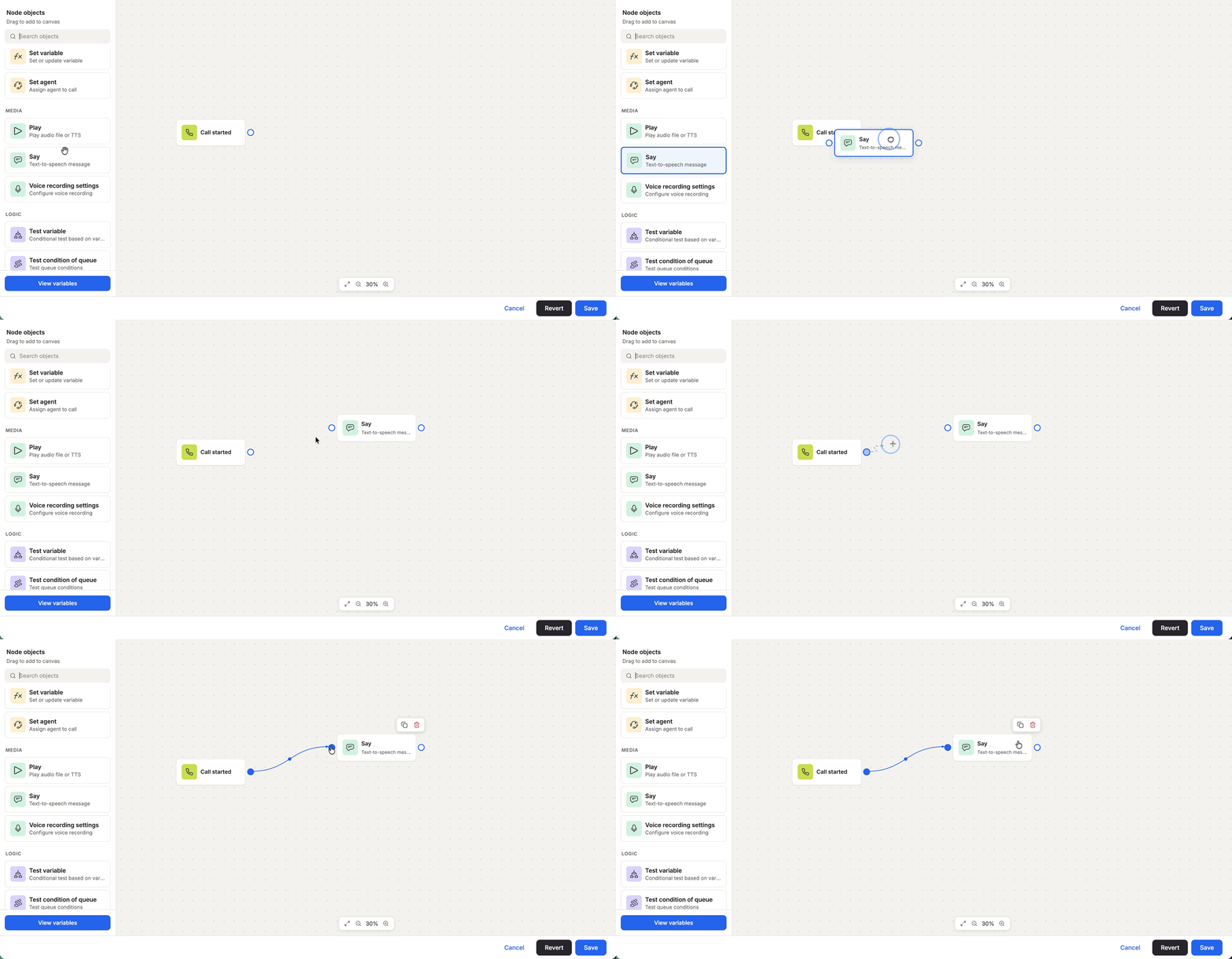
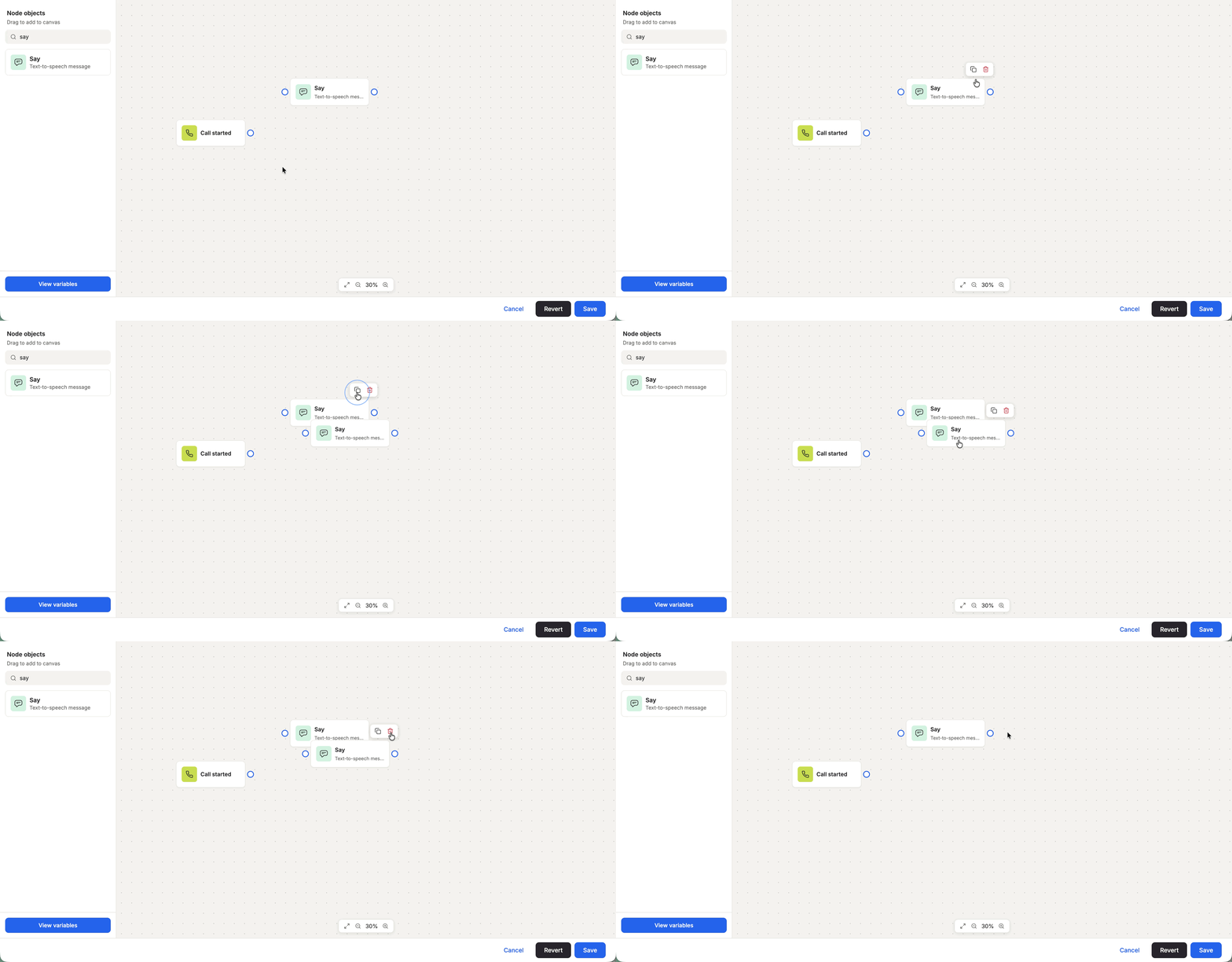
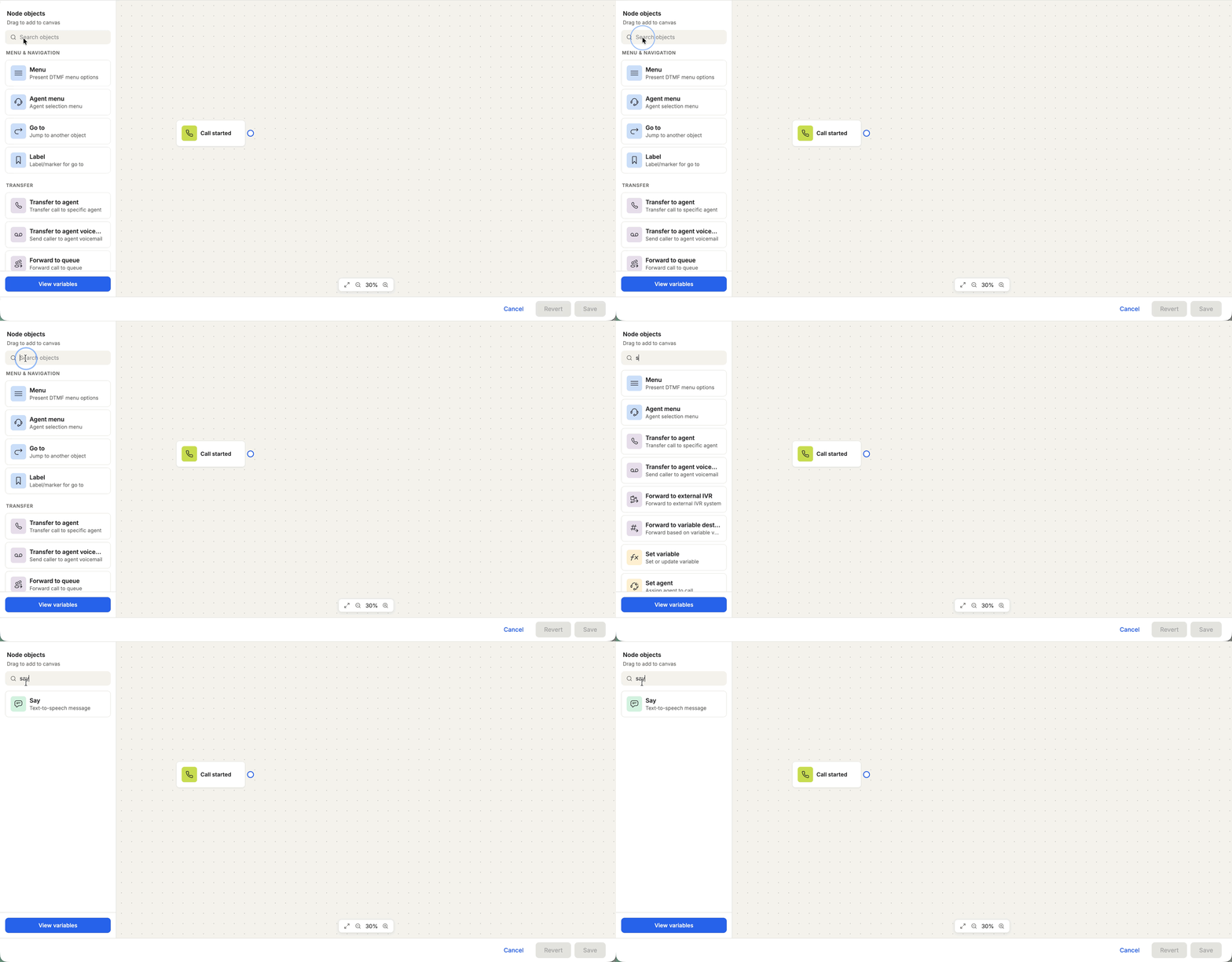
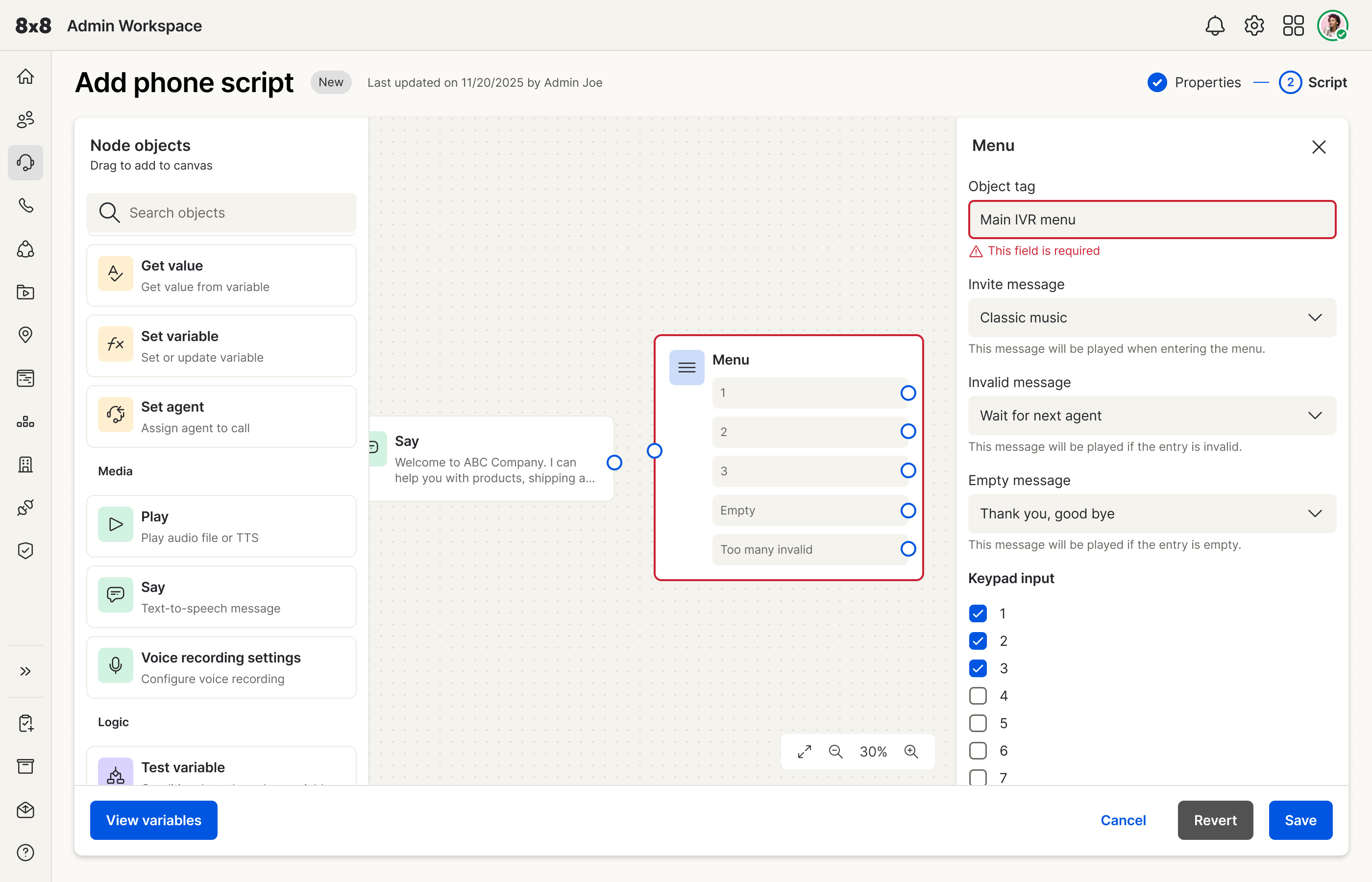
The canvas carries the interaction bet: place and connect nodes, search the graph,
duplicate or delete safely, and surface error states when a step is incomplete.
Drag-and-drop node placement on the canvas.
Duplicate and delete without breaking the graph.
Find nodes in a growing script.
Error state when a node is incomplete or misconfigured.
Prototype walkthrough of the visual script studio.
Challenges Faced
Vertical layout, then cut
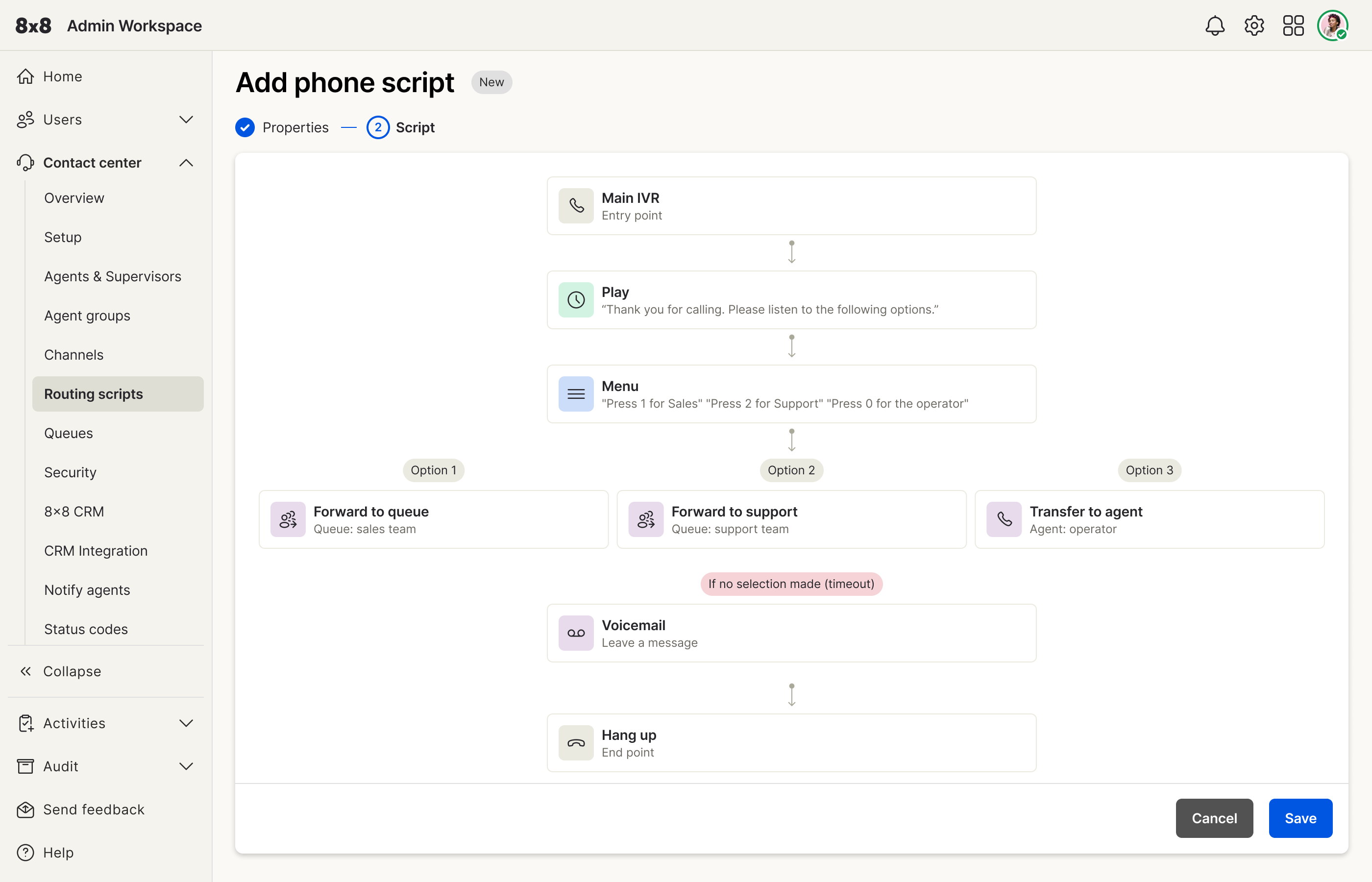
Early explorations used a top-down vertical flow — clearer than the
tree, but still too linear for real IVR branching. I cut that direction and moved to
a freeform canvas so menus could fan out without forcing a single column.
Preview under-flushed
The test / preview path was part of the hypothesis but didn’t get the same depth as
the canvas before the project paused. Shipping confidence would have needed another
design pass with eng.
No UT before pause
I didn’t have time to run formal usability sessions. Validation stayed on repository
research, competitive rationale, and PM critique. When the PM left, there was no
path to test with customers or hand off to engineering.
Explored but not used: vertical top-down script layout — clearer than tree, too
linear for branching.
Solution Impact
At the design layer, the prototype answers the hypothesis: spatial authoring instead of
nested trees, reusable components instead of copy-paste maintenance, and a preview path
aimed at safer publish. The UI refresh (icons and chrome) made the studio feel like
modern Admin Workspace rather than a legacy CC tool bolted on.
What it did not do: prove production time savings or ship behind a
backend rewrite. Impact here is the clarity of the bet and the interaction model — not
a live KPI.
User & Business Impact
Intended operational value
For CC admins: faster, less error-prone updates when the business changes promos or
policy; less dependence on a few syntax specialists; a path to rehearse flows before
callers hit them. For the business: admins stop being the bottleneck when speed matters.
Evidence I can defend
Repository-backed pain and the admin quote above; competitive patterns that support
canvas authoring; PM alignment through review loops.