1. Problem & Hypothesis
There was strong customer demand for automated provisioning, but adoption of the
existing integration was low.
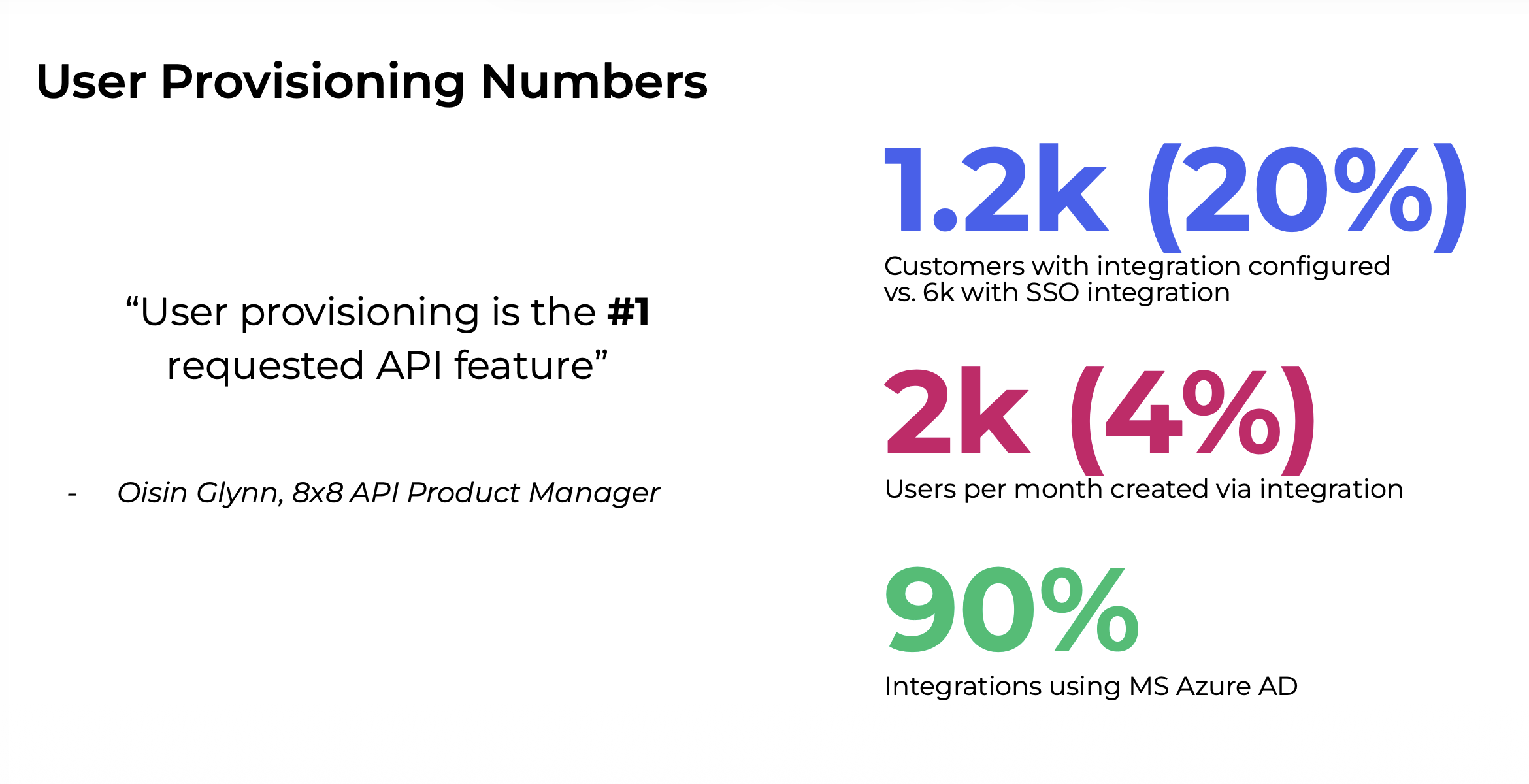
~20% provisioning uptake
About 6k customers used SSO, but only
~1.2k used provisioning integration—a clear gap between identity
for authentication and identity for automating employee setup.
90% Microsoft Entra ID
Most integrations used Microsoft Azure AD / Entra ID, so it was the critical
ecosystem to design around.
Hypothesis
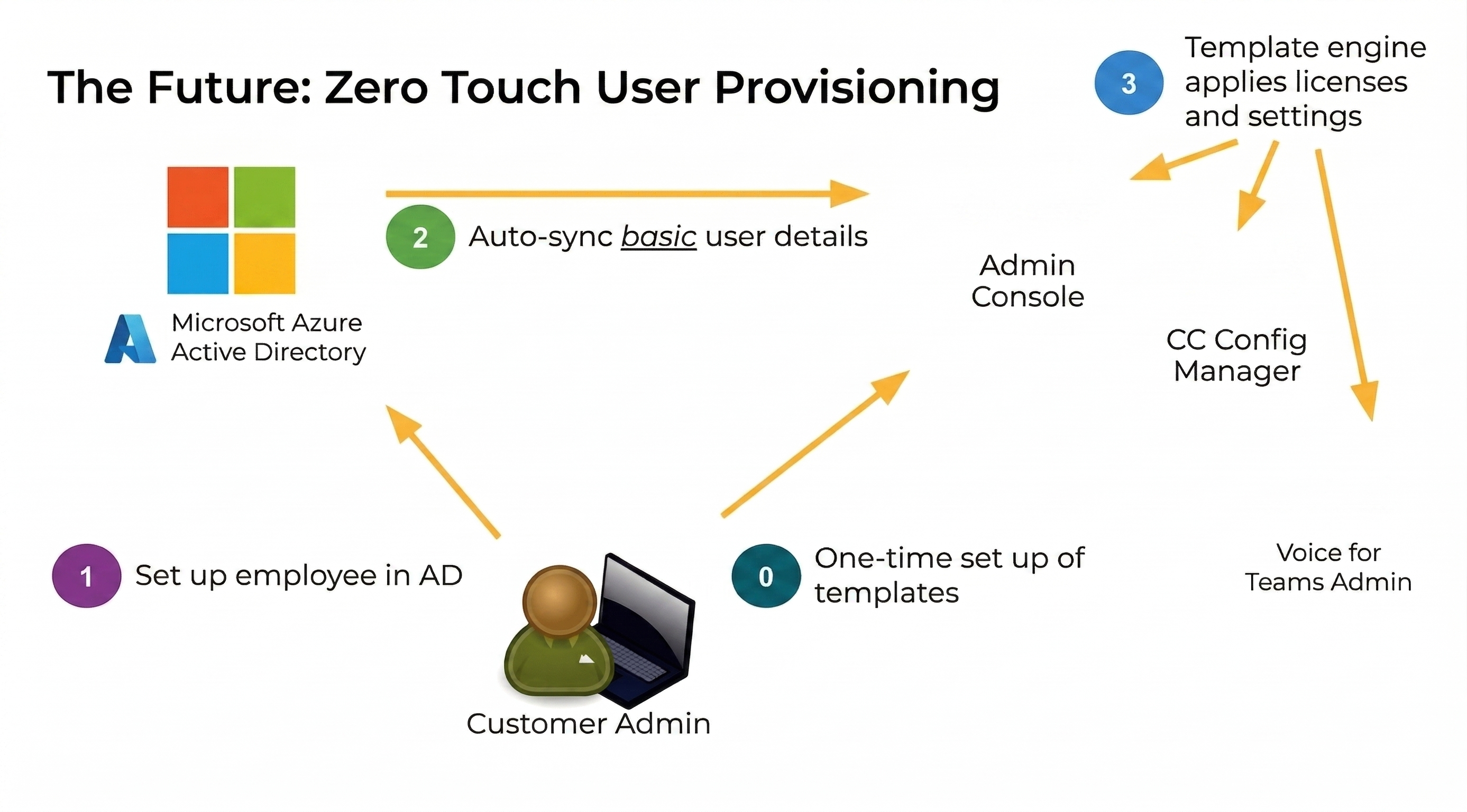
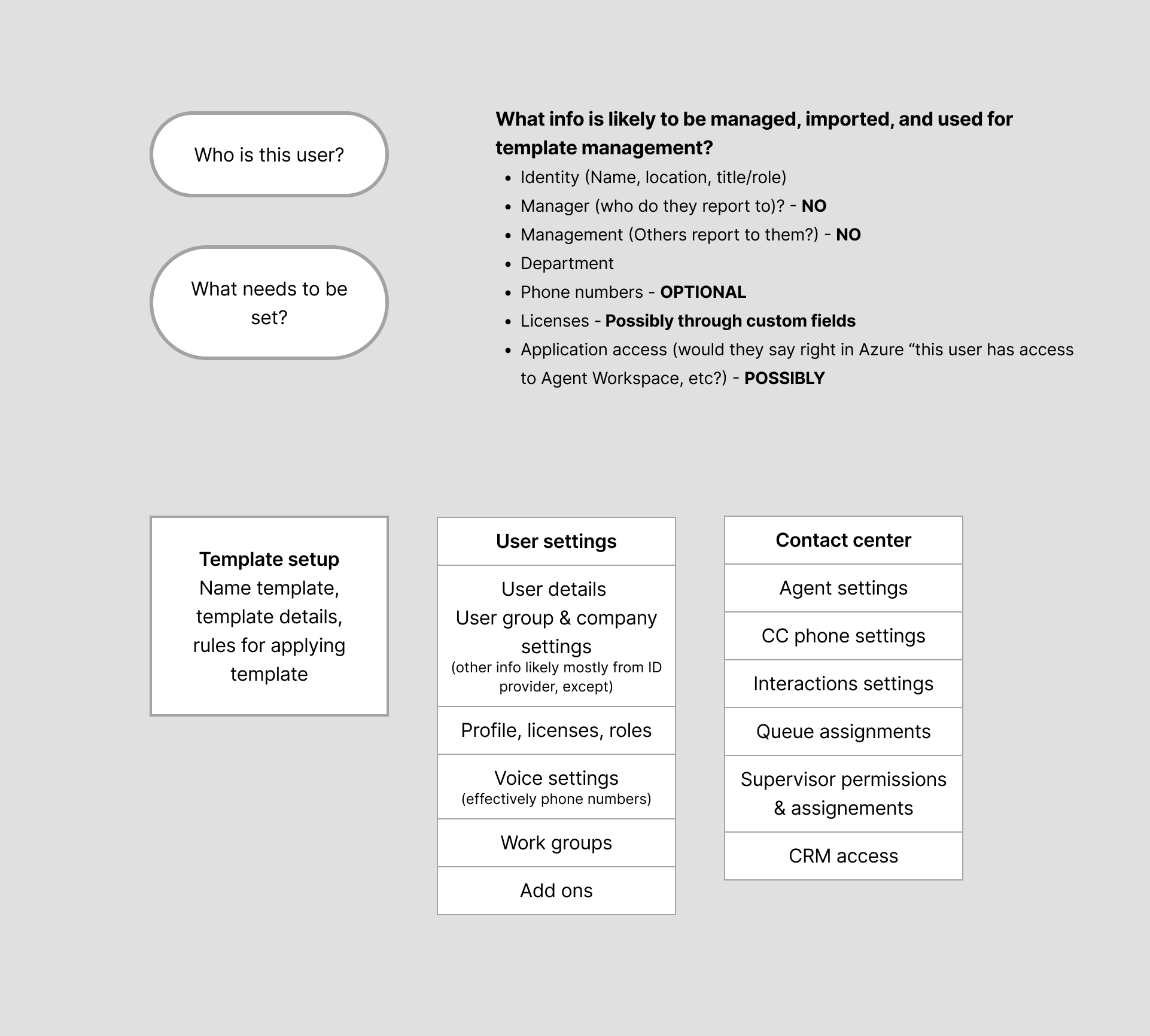
Closing the gap meant templates that encode 8x8 setup policy once—then apply it when
IdP lifecycle events arrive—instead of manual completion per hire.
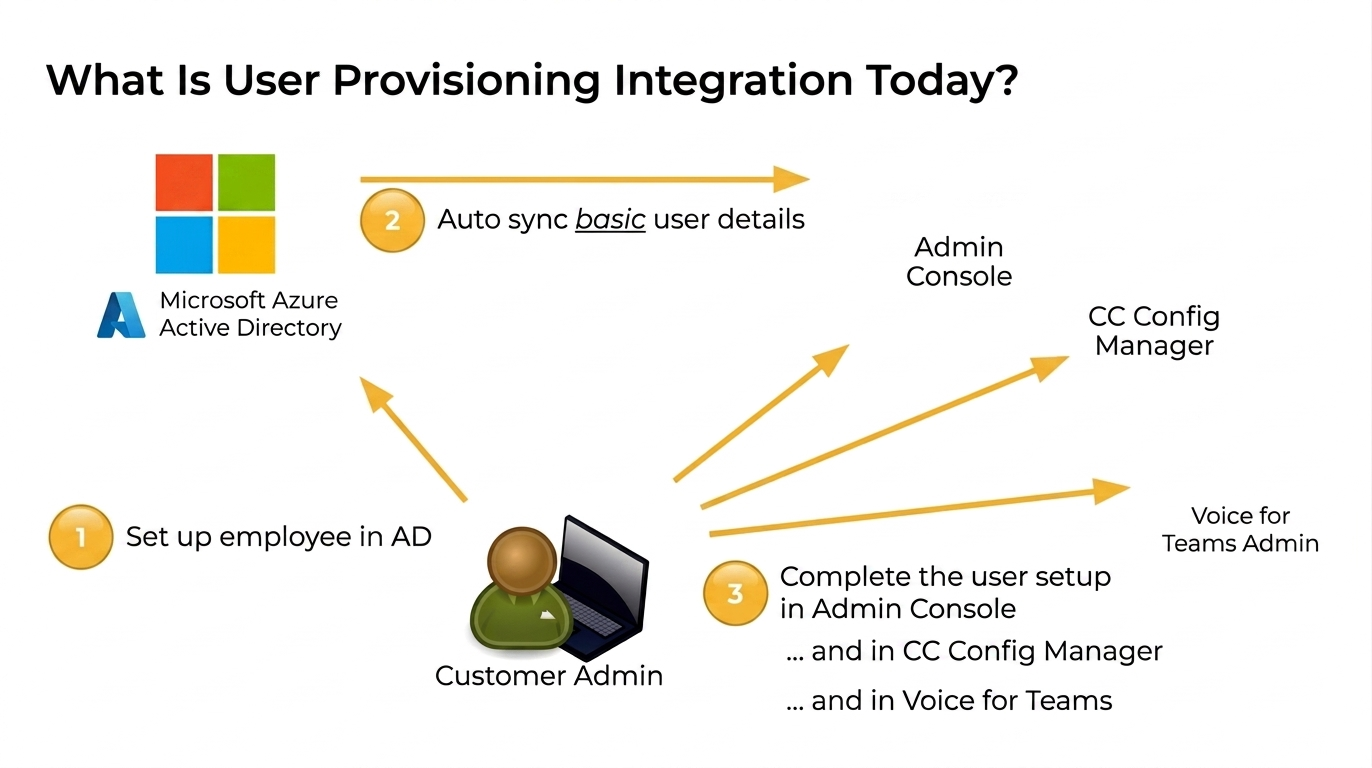
Existing flow
- Employee is created in the company’s Microsoft Entra ID.
- Basic user information automatically syncs to 8x8.
-
Admin still completes the employee’s 8x8 setup (licenses, voice settings, workgroup
or permission assignment, and related configuration).
-
Depending on services, IT admins also configure the user in Contact Center
Configuration Manager and/or Voice for Teams admin.
2. Role & Collaboration
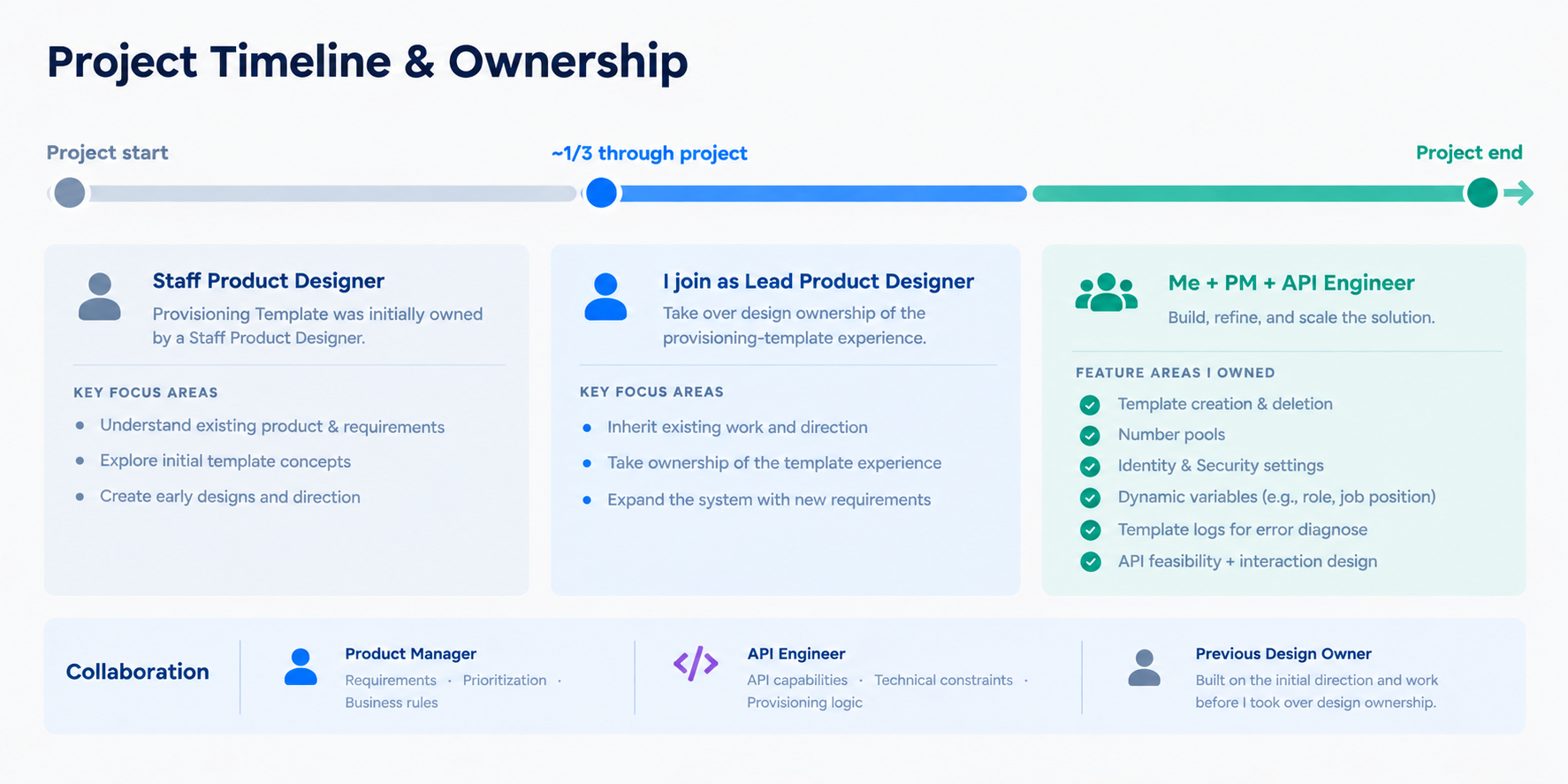
I joined the User Provisioning initiative roughly one-third of the way through the
project, when the Staff Product Designer originally assigned to the work transitioned
to another initiative. I then became the lead product designer, taking
ownership of the core template experience and expanding the system as new provisioning
requirements emerged.
Owned
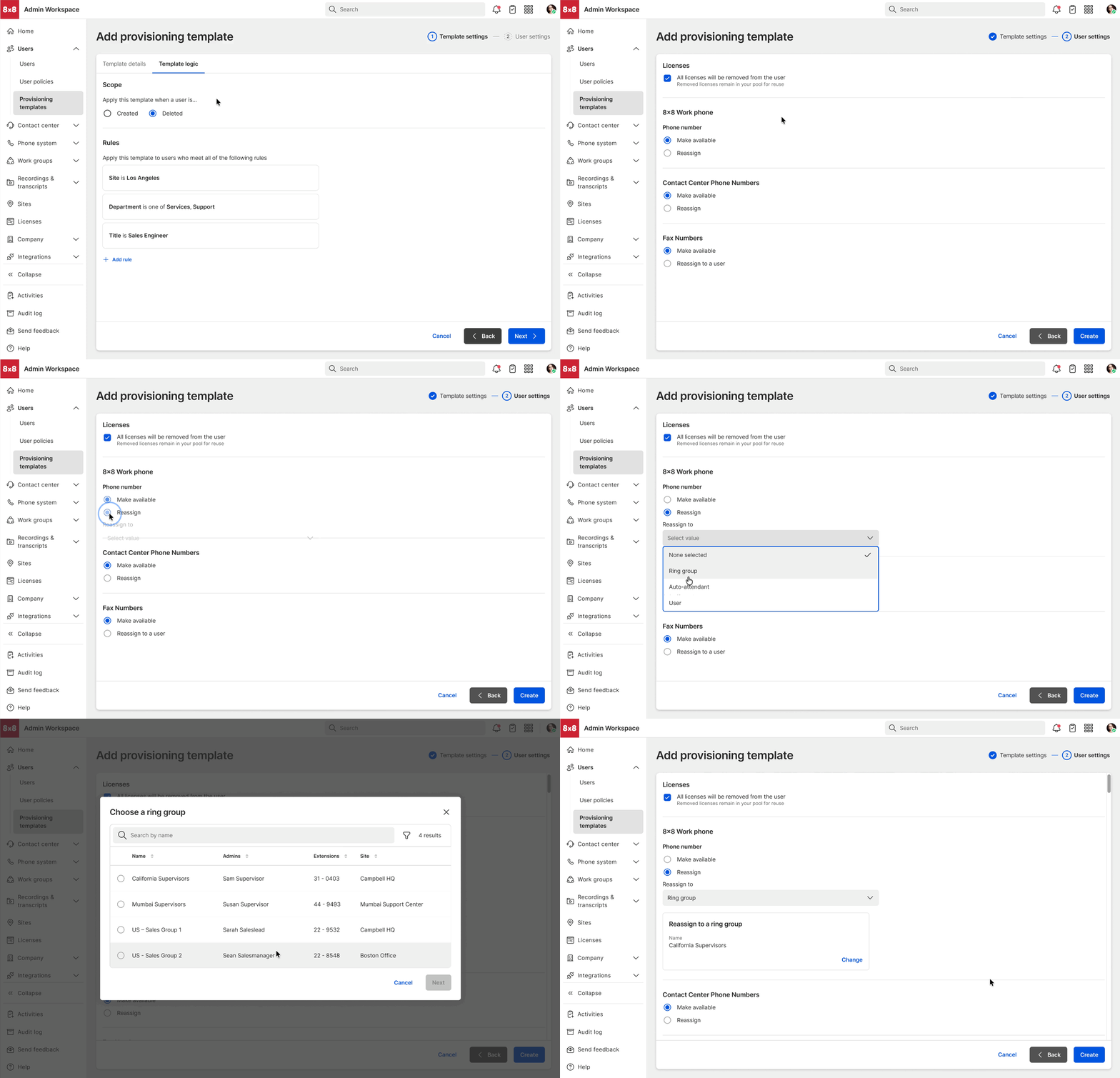
- Template creation and deletion
- Number pools and workgroups
- Revisions to the existing template experience and provisioning rules
-
Moving templates beyond static configuration toward attribute-driven variables—such
as using a user’s role or job position to determine configuration
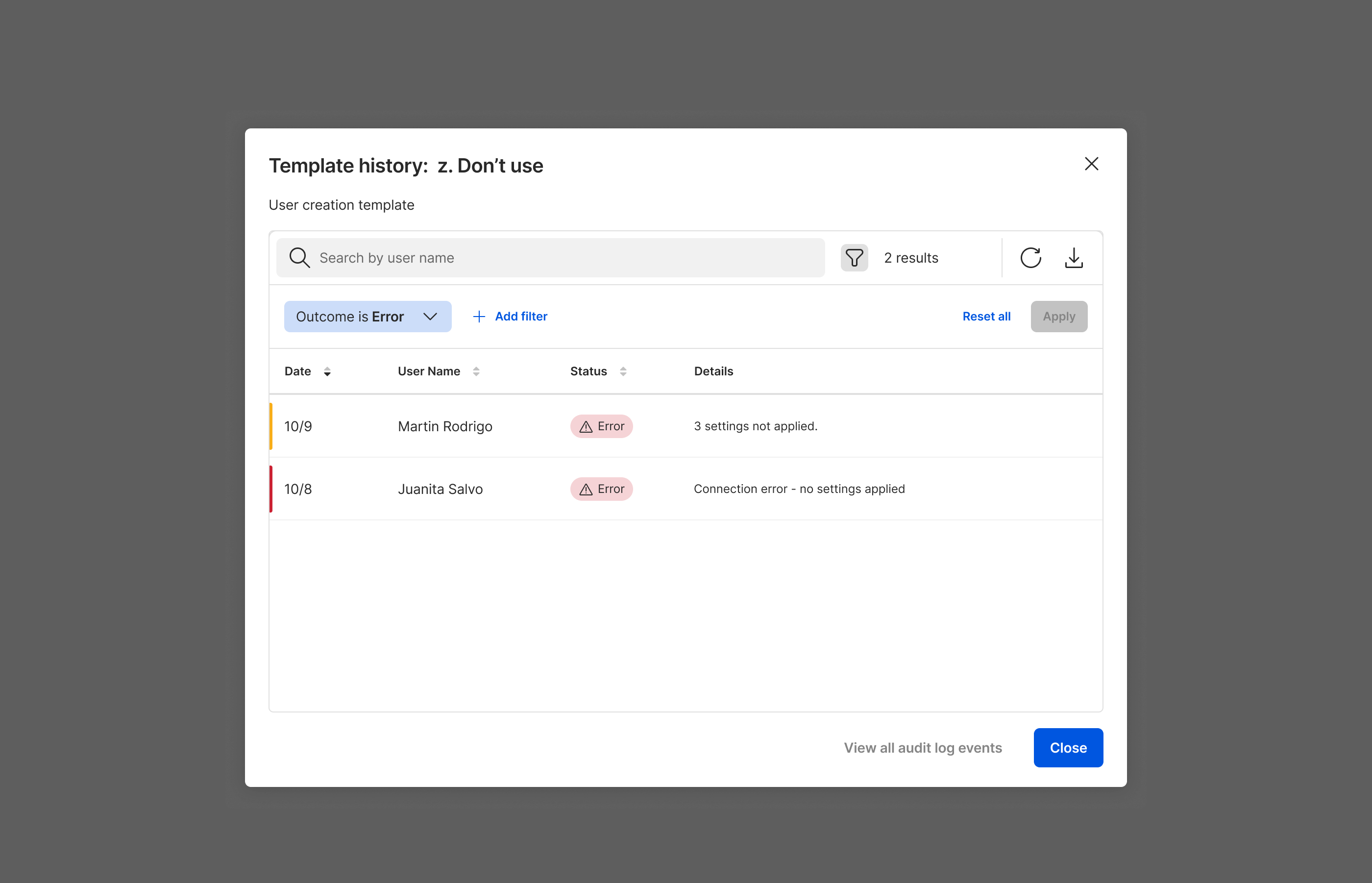
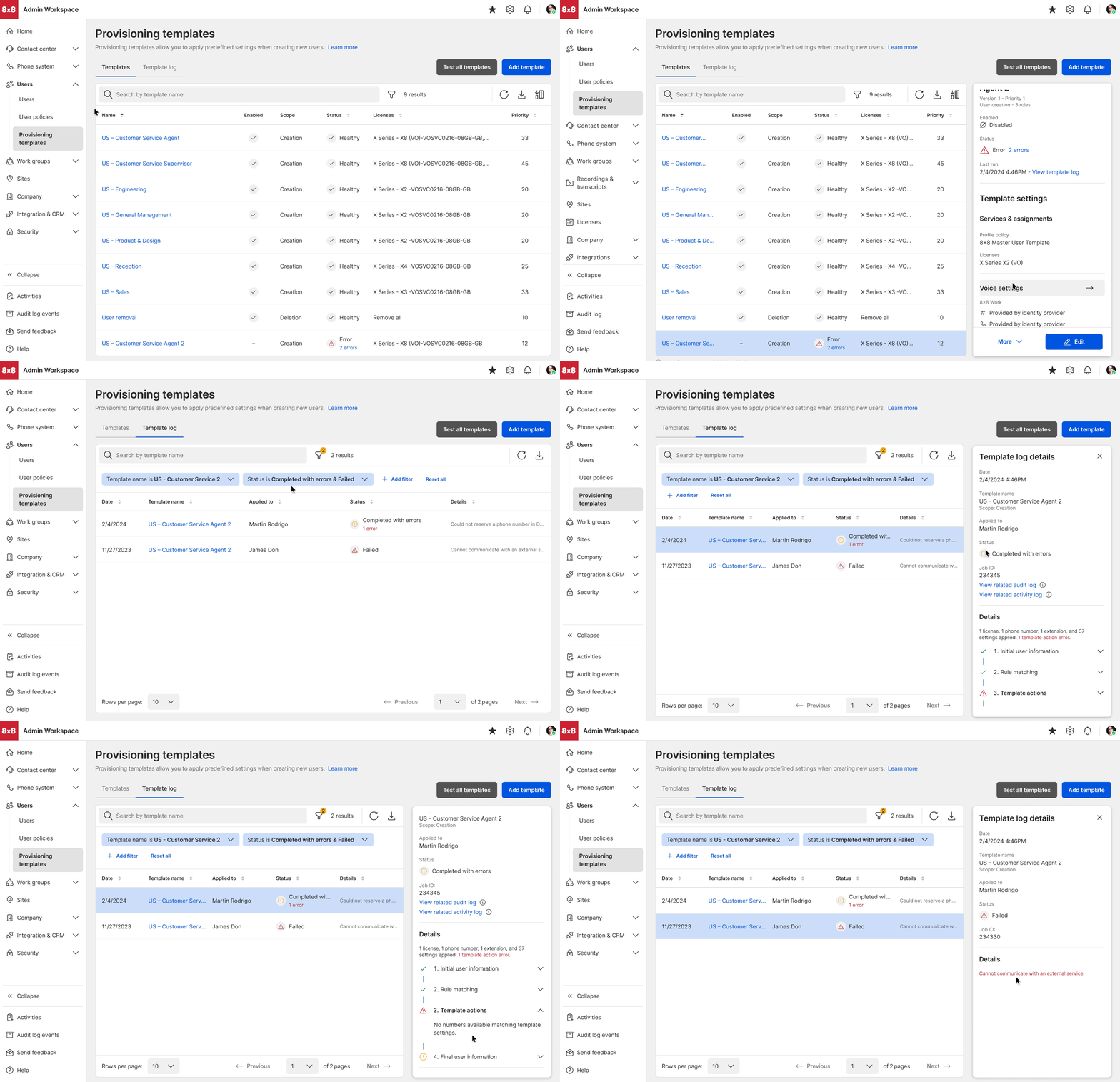
- Template logs and Activities logs
Product
Partnered continuously with PM on requirements, prioritization, and evolving
business rules.
Engineering
Worked closely with the API engineer to understand backend capabilities and
constraints and shape the UX around the provisioning model.
Previous design owner
Built on the Staff Product Designer’s initial work before taking over design
ownership for the remainder of the project.
3. Proposed Solution
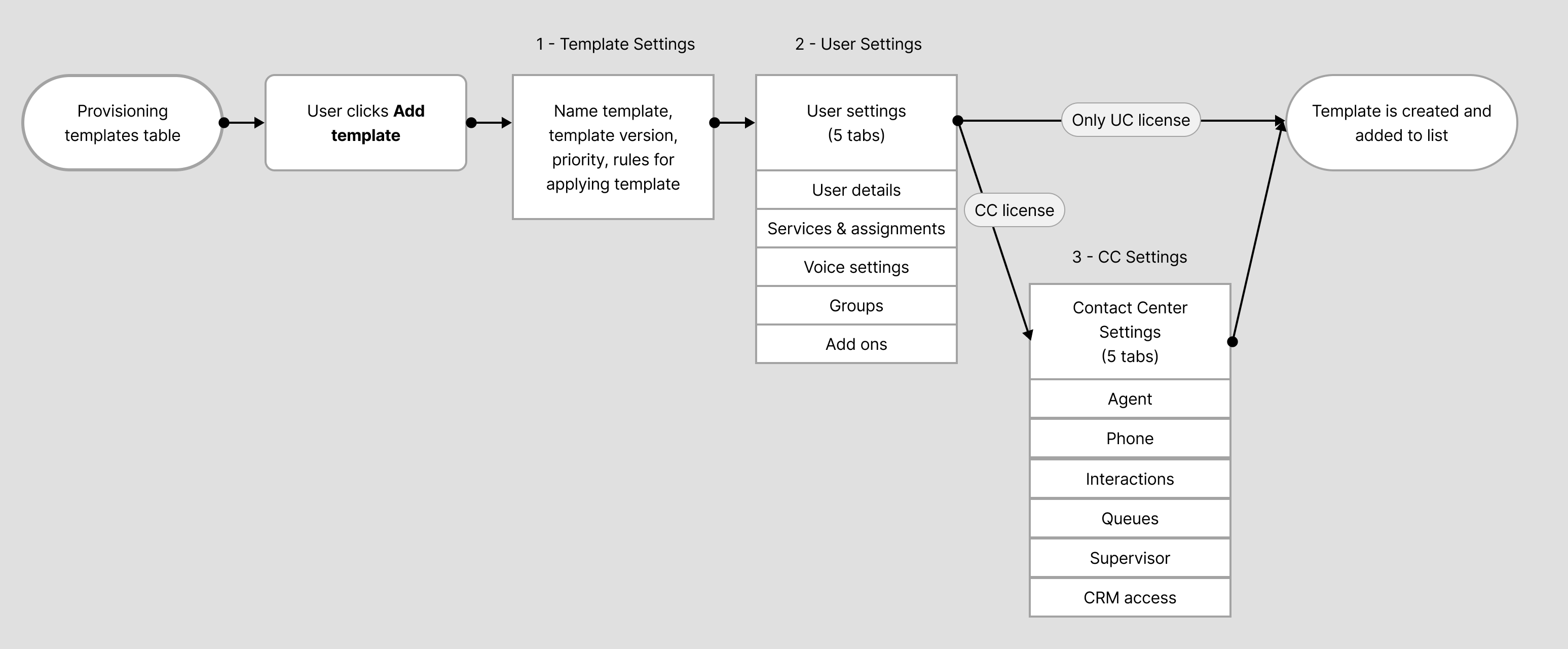
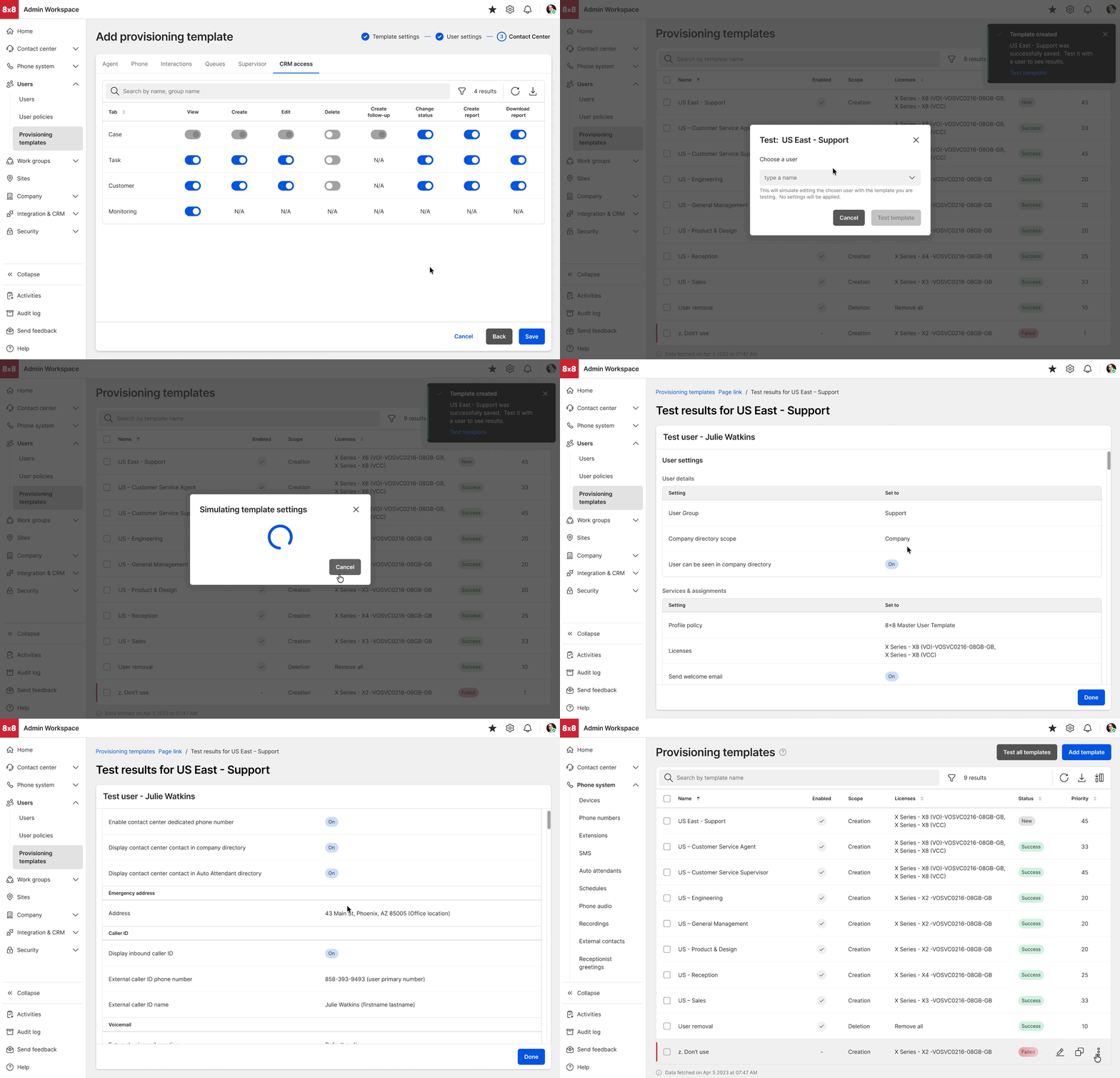
I worked closely with the PM and API engineer to map the template logic, backend
capabilities, and configuration dependencies the template experience needed to support.
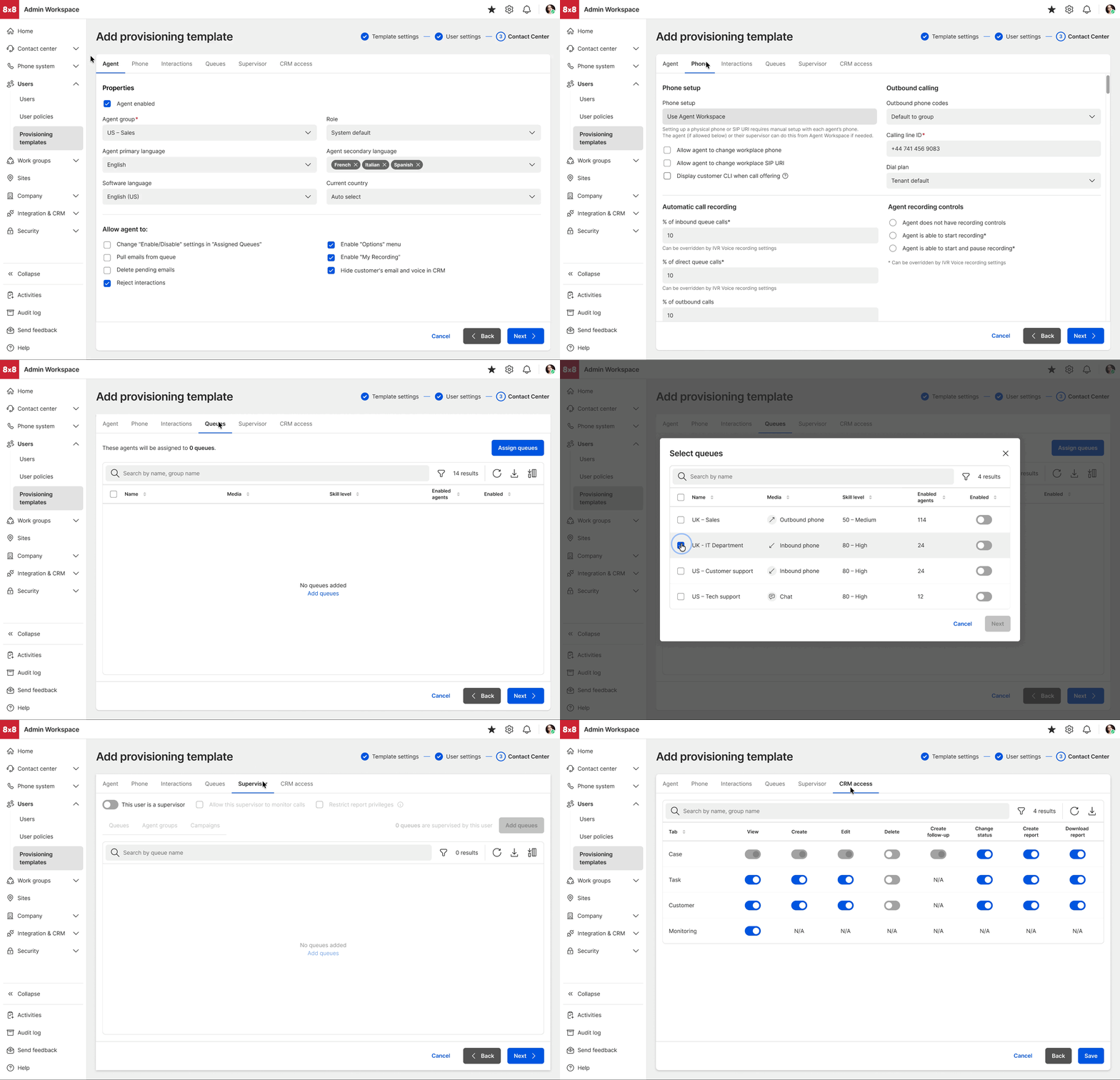
From there, I used iterative workflow exploration and prototyping to work through
template creation, deletion, template logs, manage number pools, and SCIM setup. I
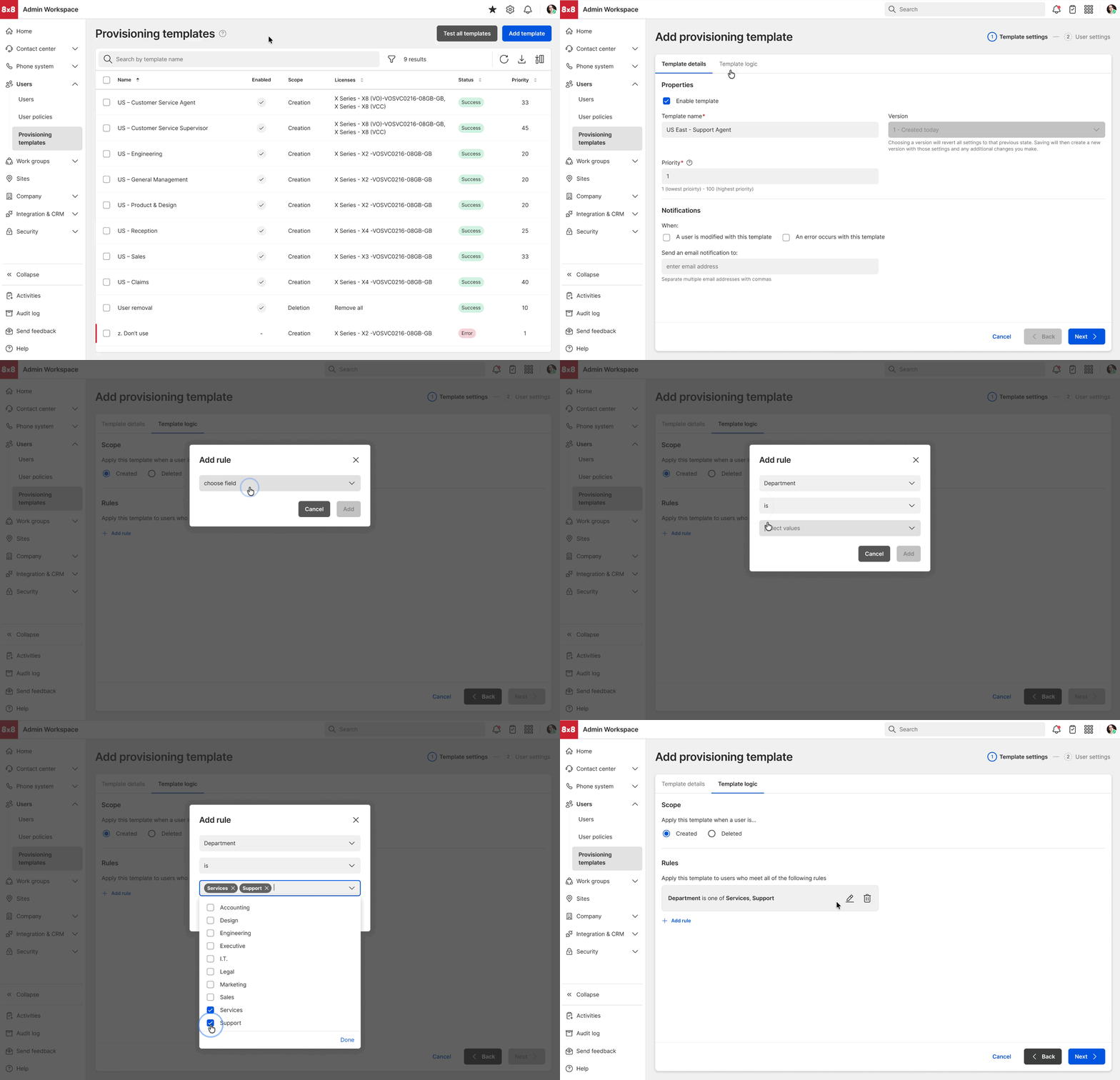
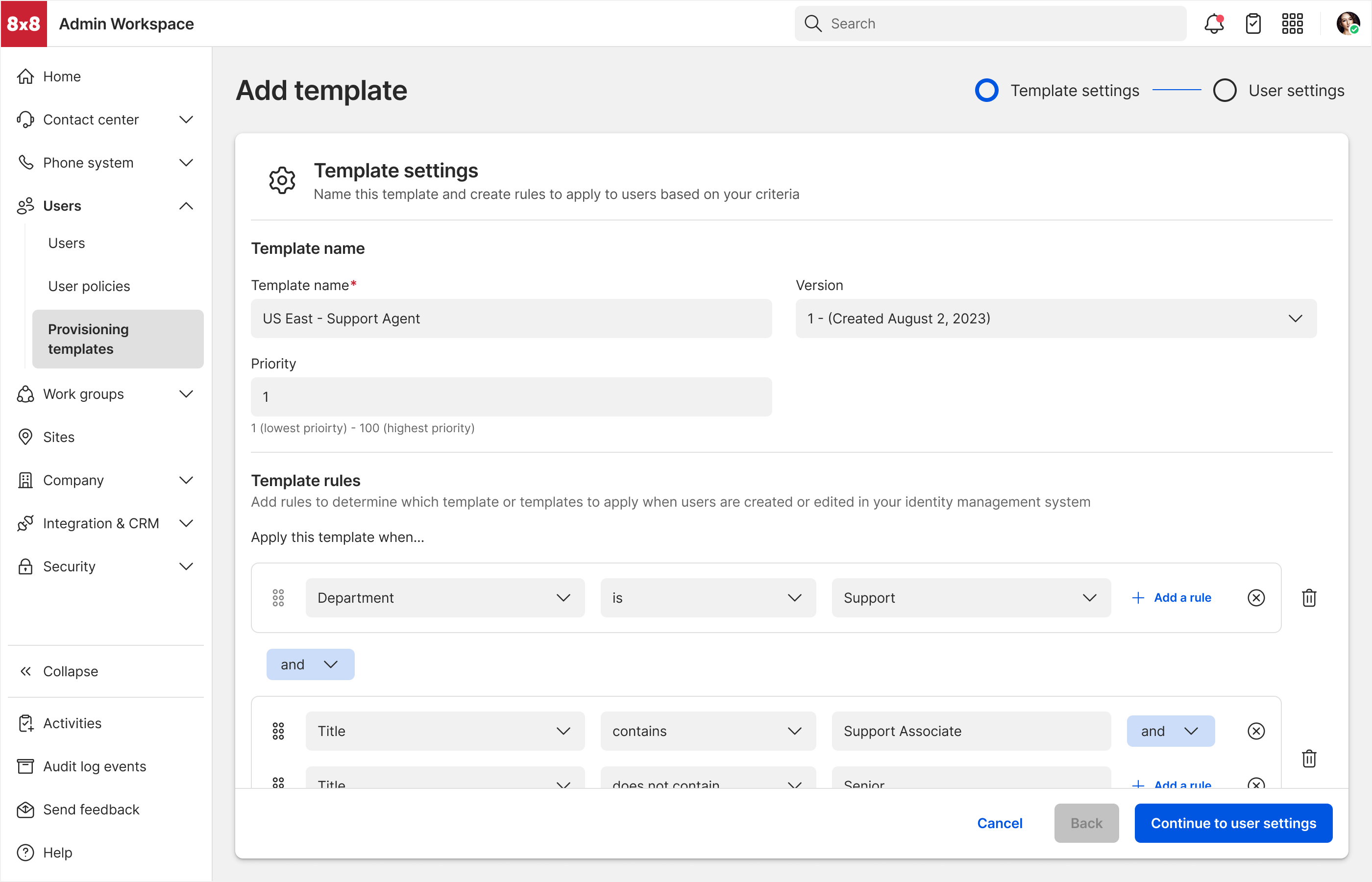
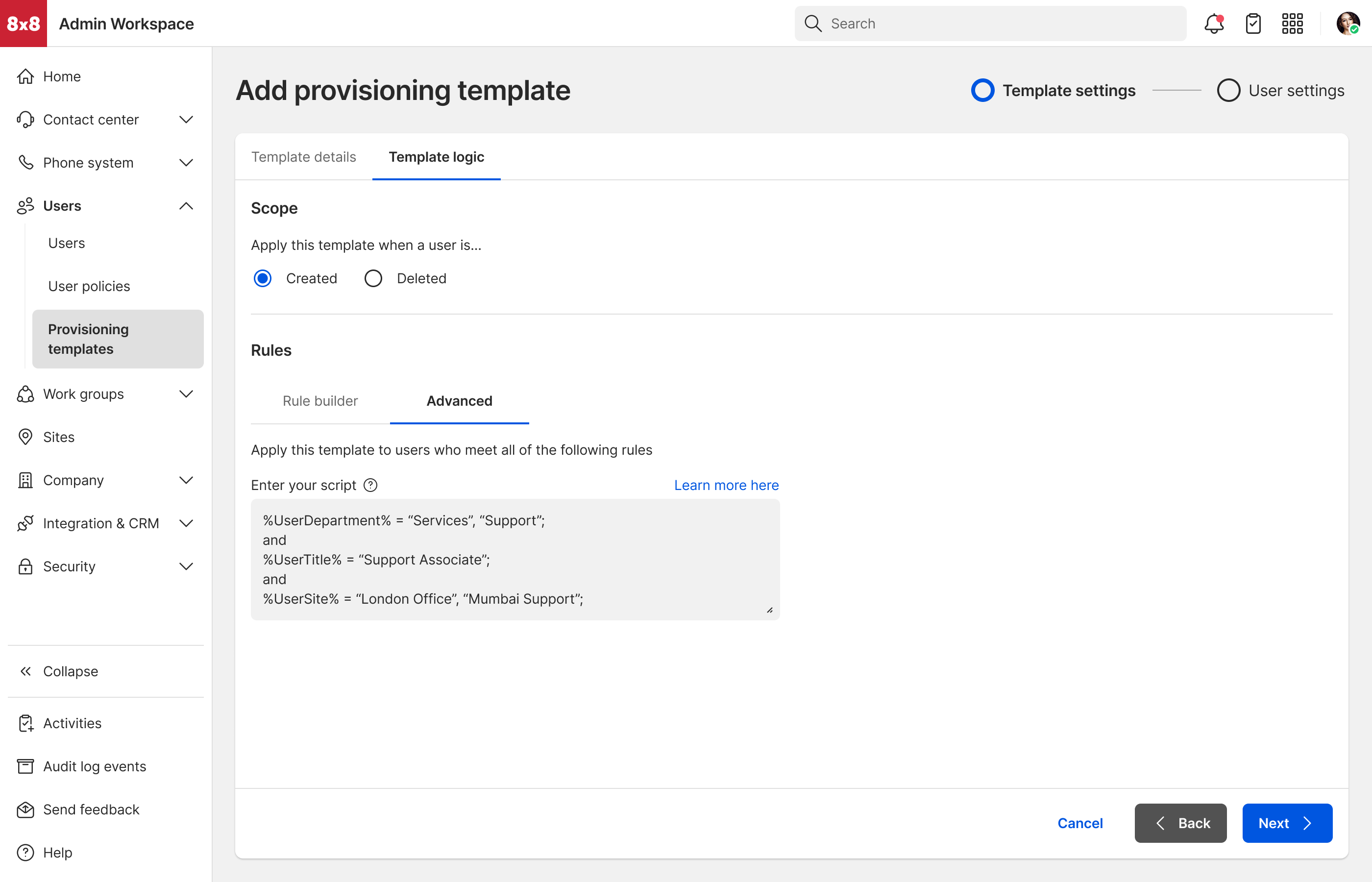
tested different ways of representing template rules. The original template model relied
heavily on static configuration. I expanded the model to support
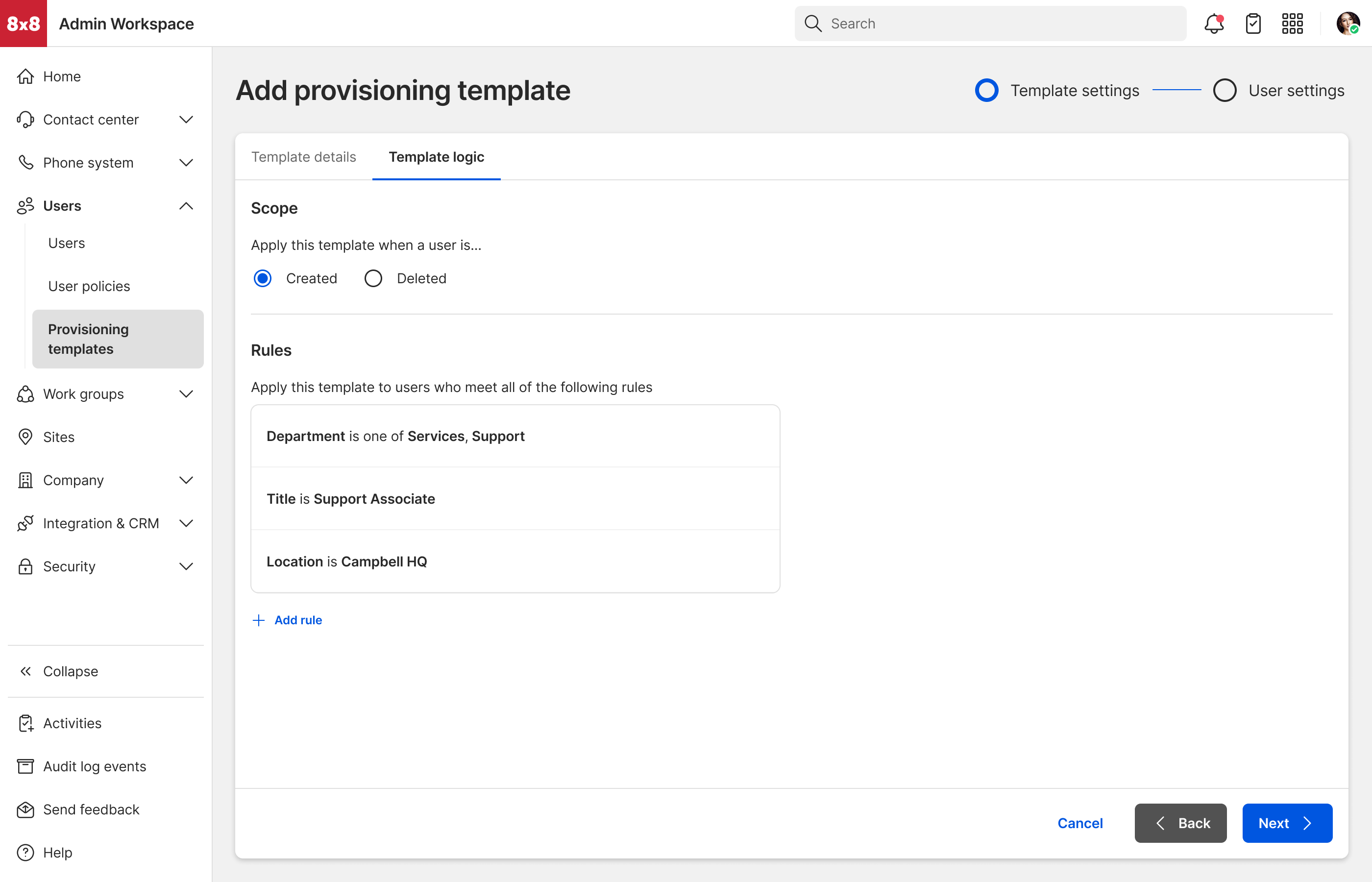
attribute-driven rules, allowing administrators to determine both who
receives a template and how individual settings are configured.
4. Solution Impact
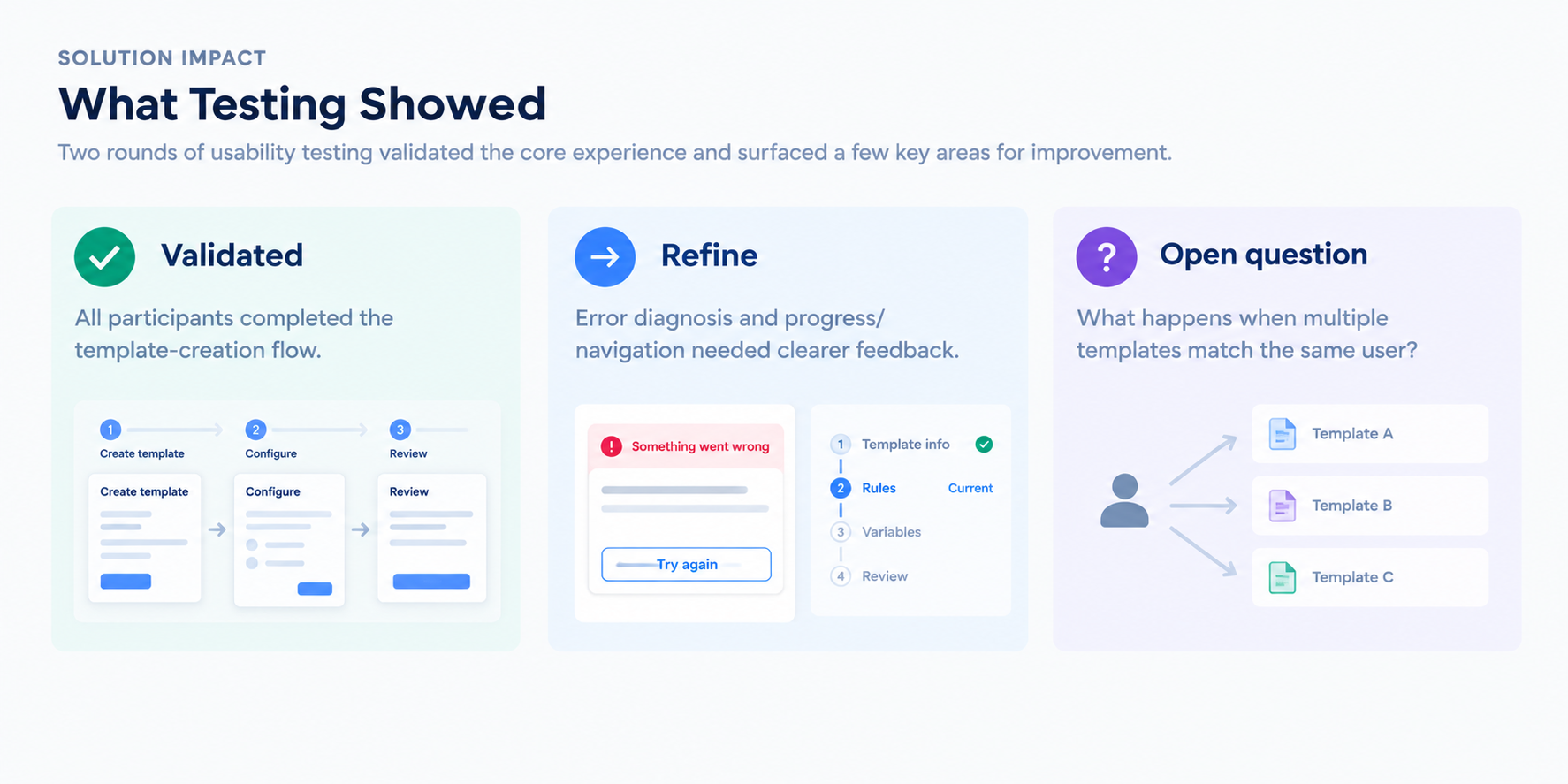
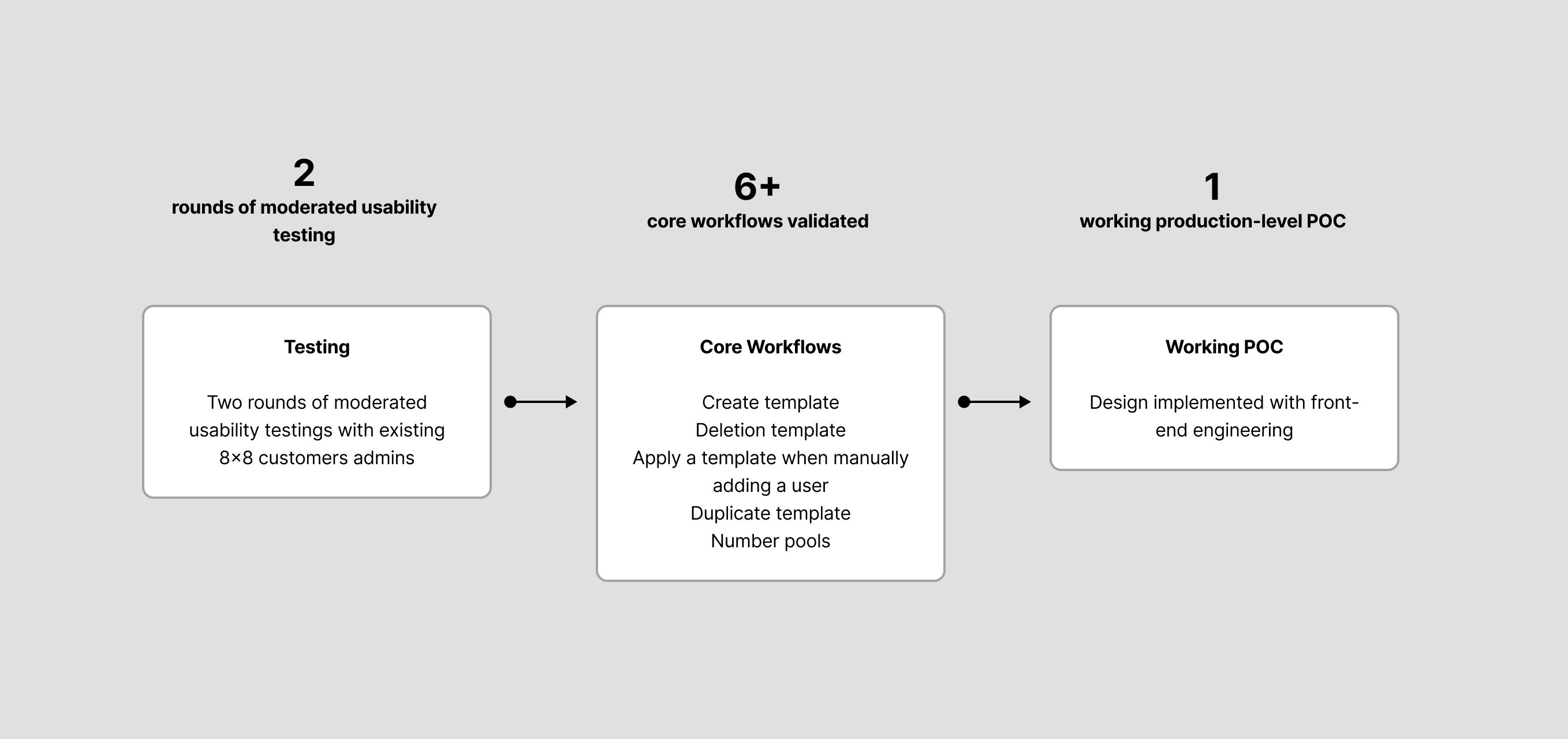
We validated the experience through two rounds of usability testing.
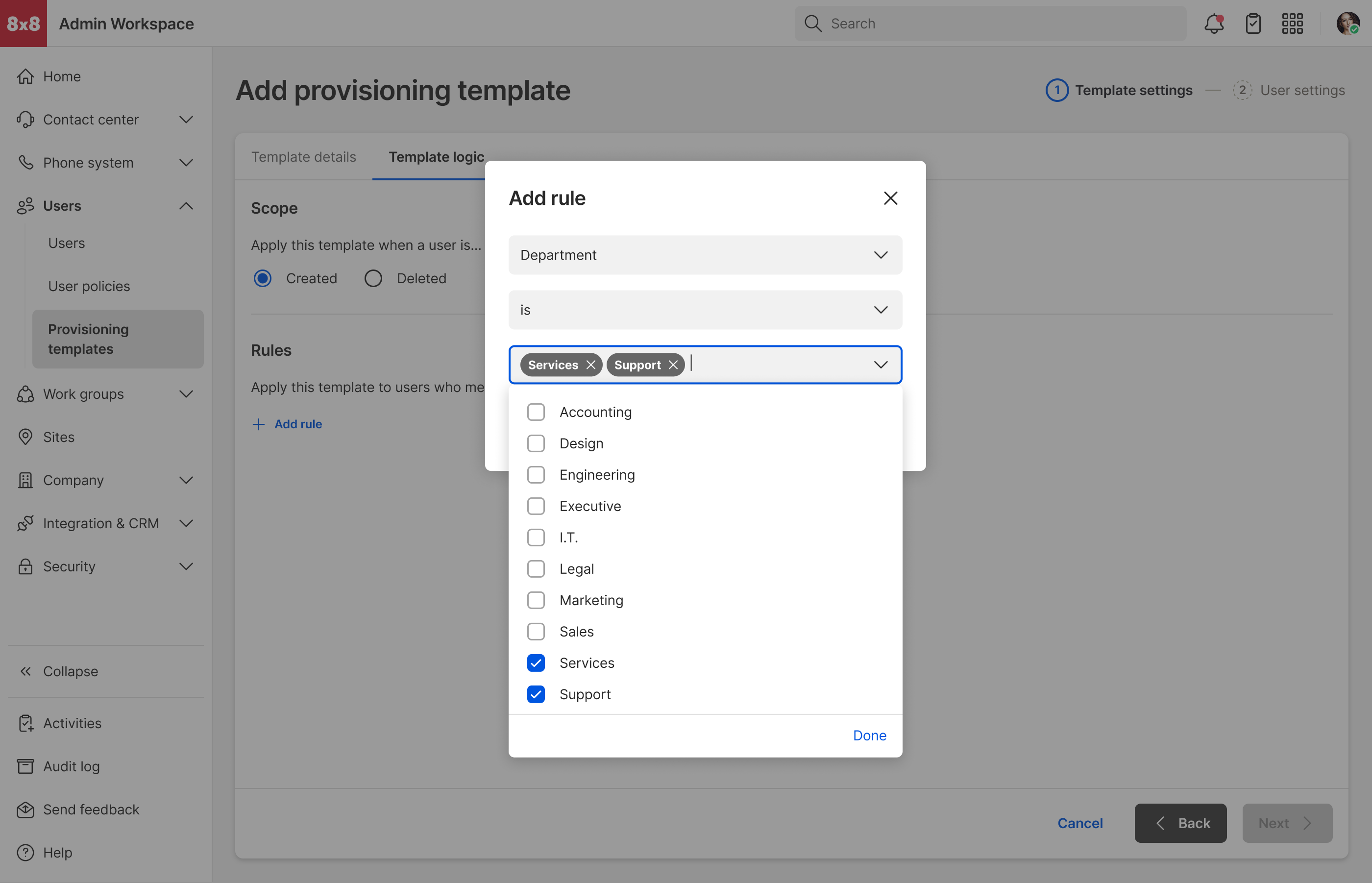
Overall, participants completed the template-creation flow successfully, and the rule
builder tested well. The sessions also surfaced areas that needed further refinement:
-
Template error diagnosis — users needed clearer guidance for
understanding and resolving configuration errors.
-
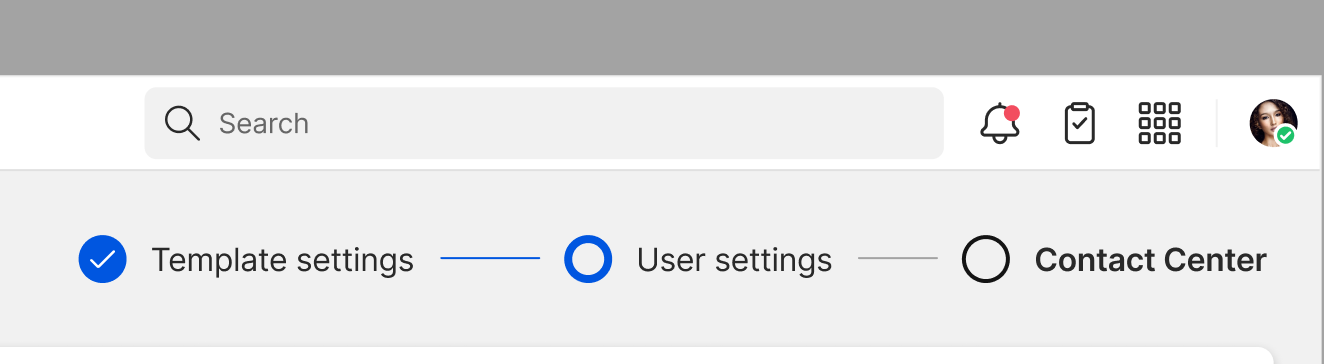
Progress and navigation — some participants were uncertain about
where they were in the multi-step creation process, prompting a stronger visual
progress indicator.
-
Template priority — when multiple templates match the same user,
which takes precedence? This remained unresolved and became an open product-rule
question.
Tangible outcomes
The two usability rounds gave the team confidence that the core template-creation
workflow was understandable and completable, while identifying specific areas for
iteration before broader adoption. More importantly, testing exposed a deeper product
requirement around template precedence and rule conflicts that needed
to be resolved at the product/system level.
5. Challenges Faced
The biggest challenge wasn’t fitting more configuration into the template builder—it
was deciding how much flexibility admins actually needed without making the system
harder to understand. Three areas required significant iteration: rule creation,
workflow orientation, and dynamic variables.
1. Rule builder: flexibility vs. cognitive load
Challenge: My first rule-builder exploration prioritized flexibility.
I wanted admins to have enough control to create sophisticated conditions, but the
resulting interaction introduced more choices and complexity than the MVP required.
What I learned: Supporting every possible configuration added
cognitive load without enough value for the initial use cases.
Decision: I simplified the rule builder around the most common
template conditions. For the MVP, making rules easy to understand and configure was
more important than maximizing flexibility.
2. Progress indicator: making the workflow legible
Challenge: In the first round of usability testing, users could
complete the template flow, but some were unsure which step they were in and what
remained.
What I learned: Completing the flow wasn’t enough—admins still
needed clearer signal for where they were and what was left in the multi-step
creation process.
Decision: I revisited the process indicator to make the current
step, completed steps, and remaining steps easier to understand, strengthening
orientation within the creation flow.
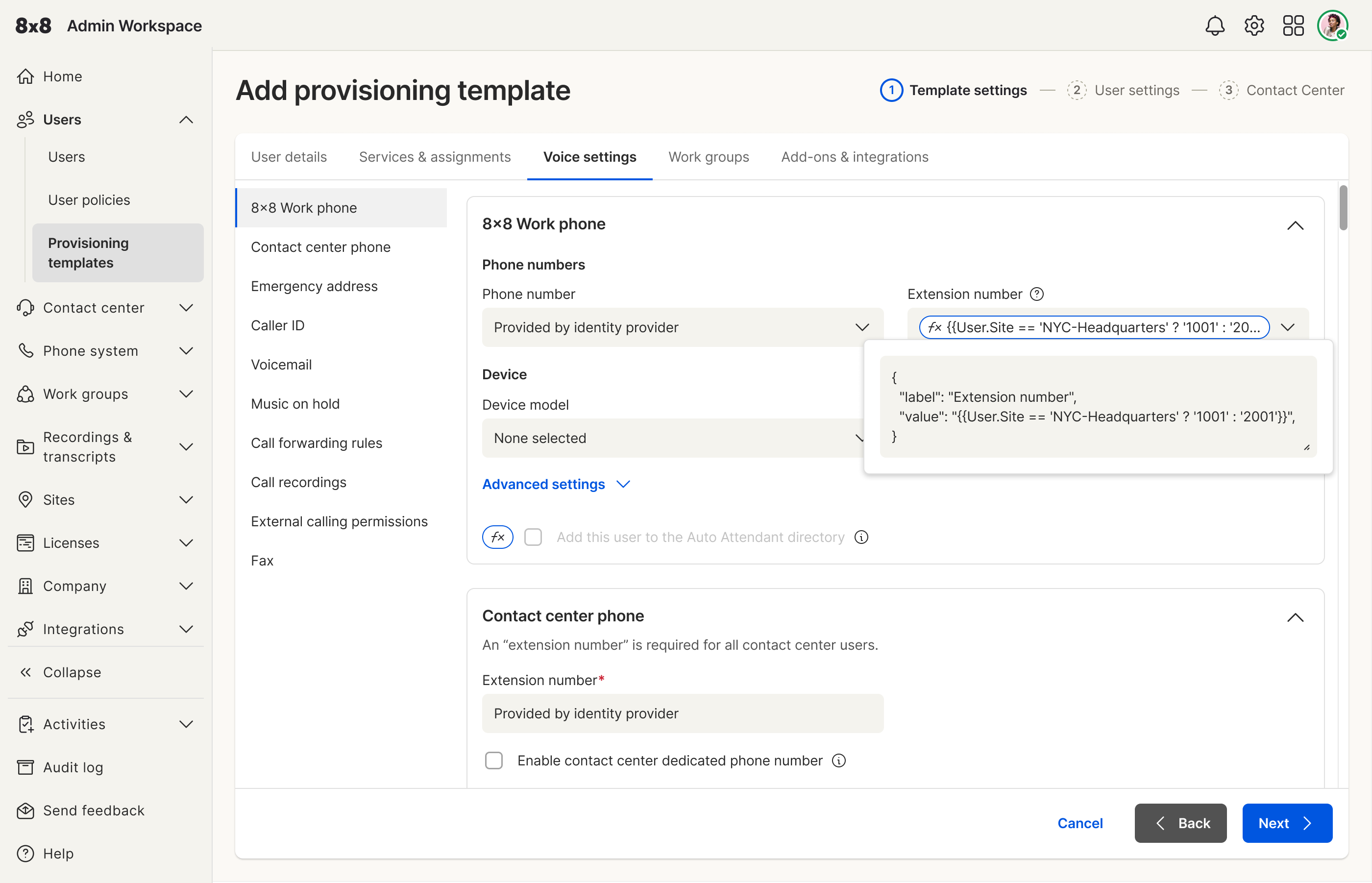
3. Variables: flexibility without template duplication
Challenge: Template attributes aren’t always static. An admin may
need a value to change depending on the employee’s attributes—such as site or role.
Without variables, admins would duplicate templates for each scenario.
What I learned: Exposing raw expression power isn’t enough—the
mechanism has to stay approachable for admins who shouldn’t need to understand the
underlying logic. Example:
Extension number = {{User.Site == "NYC-Headquarters" ? "1001" : "2001"}}
Decision: I explored ways to let admins use variables inside
attribute fields while keeping configuration understandable—flexibility without
forcing template duplication.
6. User & Business Impact
Validated through usability testing
Two rounds of usability testing showed that admins could successfully complete the core
provisioning workflows, including:
- Creating provisioning templates
- Creating deletion templates
- Applying templates
- Manually adding users
- Duplicating templates
- Configuring number pools
Across these workflows, users completed the tasks successfully; remaining feedback
focused on small interaction improvements rather than fundamental usability problems.
The main iterations addressed rule-builder complexity, step orientation, and variable
configuration.
From design to working POC
The designs were implemented into a working, production-level proof of concept, allowing
the team to validate the experience beyond static designs and test realistic
provisioning workflows.
The project did not ultimately launch during my time on it, so I don’t have production
adoption or business-performance metrics to report. The work therefore demonstrates
validated usability and a technically realized product
direction rather than a measured production outcome.